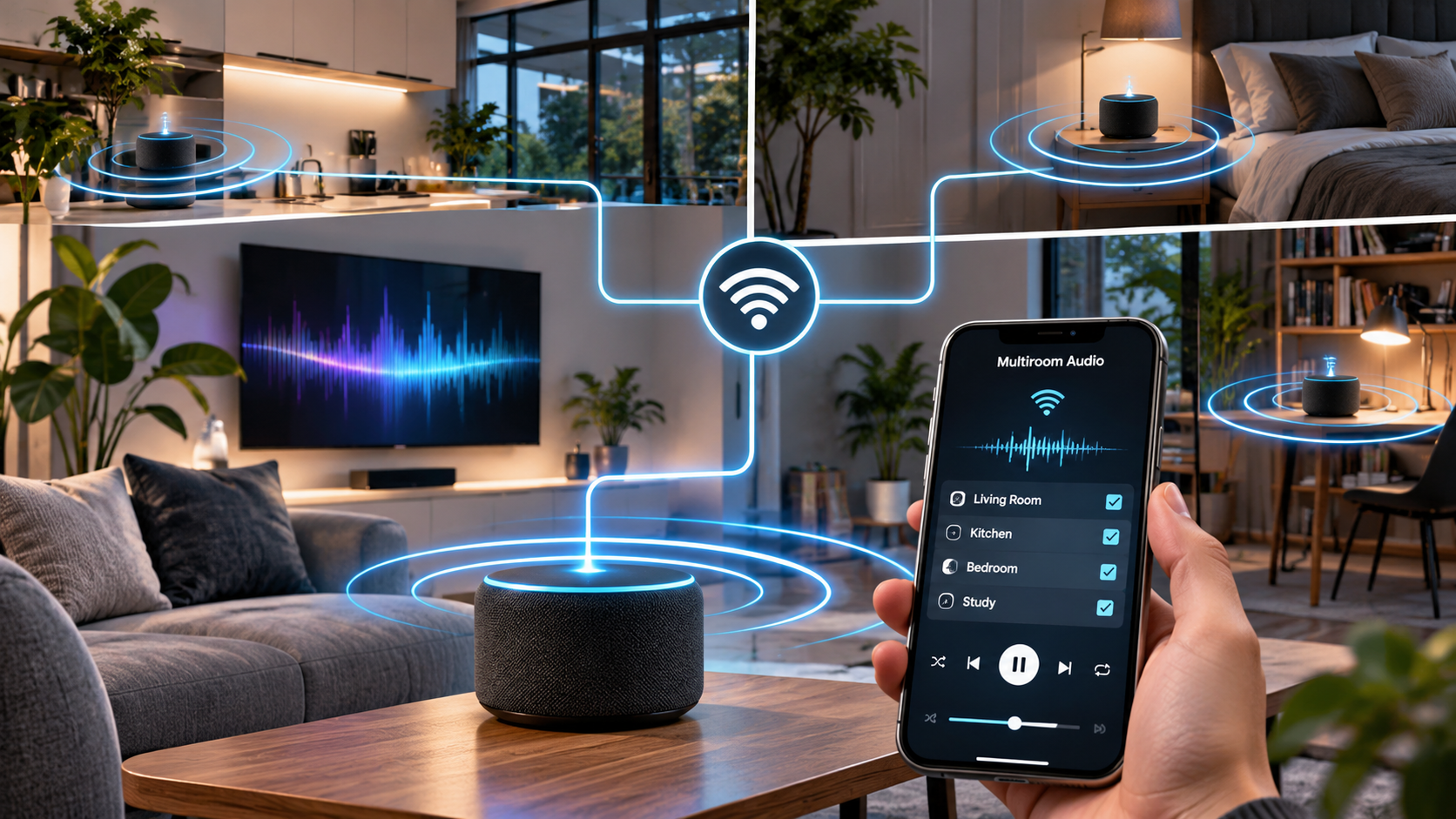
Multiroom Audio Synchronization is the key to transforming how we experience music in our homes. Imagine walking from one room to another, seamlessly transitioning from your favorite playlist to an engaging podcast without missing a beat. This technology allows various audio systems throughout a house to play sound in perfect harmony, creating a cohesive listening environment. By understanding the fundamentals, exploring the technologies involved, and recognizing the importance of network configuration, you can appreciate how multiroom audio synchronization enriches daily life.
From the components that make these systems function to the future trends poised to redefine them, this overview guides you through the essential aspects of multiroom audio synchronization, illustrating its significance in modern audio setups.
Understanding the Basics of Multiroom Audio Synchronization
Multiroom audio synchronization is a revolutionary concept in the realm of modern sound systems. As our listening habits evolve, the demand for seamless audio experiences across different spaces continues to grow. Multiroom audio systems allow users to play music simultaneously in various rooms or zones, enhancing the overall auditory experience whether it’s for parties, gatherings, or simply enjoying your favorite tracks while moving around the house.
At its core, multiroom audio synchronization involves the technology and protocols that ensure audio playback is consistent and coordinated across multiple devices. Imagine hosting a get-together where your guests can enjoy a unified playlist no matter where they are in your home; that’s the beauty of synchronized audio. The functionality of such systems lies in their ability to connect various speakers or audio components, allowing for real-time playback of the same audio track across different locations.
Components Required for Effective Multiroom Audio Synchronization
To achieve effective multiroom audio synchronization, several key components are essential. Each component plays a vital role in ensuring the system operates smoothly and delivers high-quality sound throughout different spaces.
First and foremost, a reliable wireless network is critical. Most multiroom audio systems rely on Wi-Fi to communicate between devices. A strong and stable Wi-Fi connection minimizes latency and ensures all speakers receive audio signals simultaneously.
Next, the audio source is a fundamental component. This could be a smartphone, tablet, or dedicated server that manages the audio content. The source device controls what is played, and its capabilities can significantly affect the quality of the audio experience.
In addition to the source, multiroom-capable speakers or smart speakers are required. These devices are designed to communicate with one another, often utilizing advanced audio streaming technologies such as Chromecast, AirPlay, or proprietary systems developed by manufacturers like Sonos or Bose. Each speaker must be compatible with the chosen audio protocol to ensure seamless synchronization.
Moreover, a control app is generally part of the ecosystem, allowing users to manage their audio settings from a smartphone or tablet. The app serves as the interface through which users can choose playlists, adjust volumes, and select which rooms to play audio in, thus streamlining the entire experience.
Lastly, audio processing technology is crucial for syncing audio properly. Latency can be a significant issue in multiroom setups, so many systems employ advanced algorithms to adjust audio playback timing, ensuring that all speakers output sound in perfect harmony.
“The synchronization of audio across multiple rooms transforms the way we experience music, creating a more immersive environment.”
In summary, understanding the intricacies of multiroom audio synchronization involves recognizing the interplay of various components. Each element, from a robust wireless network to compatible speakers and control applications, contributes to delivering a cohesive listening experience that enhances both convenience and enjoyment.
Exploring Different Technologies for Multiroom Audio Synchronization
Multiroom audio synchronization enhances the listening experience by enabling simultaneous playback across various rooms, creating a cohesive sound environment. Achieving this synchronization involves various technologies, each with its own strengths and weaknesses. Understanding these differences can help users choose the best option for their specific needs.
Comparison of Wireless Technologies
Several wireless technologies are employed for multiroom audio synchronization, primarily Wi-Fi and Bluetooth, along with other emerging technologies. Each of these solutions offers unique features that cater to different user preferences and settings.
Wi-Fi is one of the most common technologies used for multiroom audio systems. It supports high-quality audio streaming and provides a broader range compared to Bluetooth. Wi-Fi connections can handle more data, allowing for lossless audio formats and higher bit rates, which is essential for audiophiles. However, the effectiveness of Wi-Fi depends heavily on the strength and stability of the home network. Also, potential interference from other devices can lead to drops in audio quality.
On the other hand, Bluetooth technology offers a convenient option for multiroom audio, particularly for smaller setups. It is generally easier to set up and requires minimal configuration. However, Bluetooth has limitations in range and audio quality, especially when dealing with multiple speakers spread across different rooms. Bluetooth typically compresses audio files, which can degrade sound quality, making it less suitable for high-fidelity audio systems.
Emerging technologies, such as Apple’s AirPlay and Google’s Chromecast, also contribute to multiroom audio synchronization. AirPlay, for instance, allows seamless audio streaming from Apple devices over Wi-Fi, supporting high-quality formats and enabling easy control from a mobile device. Chromecast offers similar capabilities, allowing users to cast audio from various apps directly to compatible speakers. Both technologies leverage Wi-Fi for better range and audio quality compared to Bluetooth.
Here’s a summary of the advantages and disadvantages of these technologies:
- Wi-Fi:
- Advantages:
Supports high-quality audio streaming with a broader range.
Allows for lossless audio formats without compression.
- Disadvantages:
Dependent on the home network’s strength and stability.
Potential interference from other devices can affect performance.
- Advantages:
- Bluetooth:
- Advantages:
Easy to set up and minimal configuration required.
Convenient for smaller, portable setups.
- Disadvantages:
Limited range and potential for audio quality degradation.
Compression of audio files can affect fidelity.
- Advantages:
- AirPlay and Chromecast:
- Advantages:
Seamless integration with mobile devices and easy management.
High-quality audio streaming using Wi-Fi.
- Disadvantages:
Compatibility issues with non-Apple or non-Google devices.
Requires a stable Wi-Fi network to function effectively.
- Advantages:
In summary, choosing the right technology for multiroom audio synchronization involves balancing factors like audio quality, range, ease of setup, and compatibility with existing devices. Evaluating these aspects ensures a satisfying audio experience across multiple rooms.
The Role of Network Configuration in Multiroom Audio Systems
In the world of multiroom audio systems, network configuration plays a crucial role in ensuring that sound travels seamlessly across different zones. A well-structured network allows for synchronized audio playback, enhancing user experience and maintaining the quality of sound. Poor network setup, on the other hand, can lead to latency issues and interruptions, causing significant disruptions in the listening experience. Understanding the intricacies of network configuration can help streamline this process and achieve optimal performance.
The efficiency of a multiroom audio setup is heavily influenced by the underlying network configuration. Bandwidth and latency emerge as the two main factors that determine how well audio can be transmitted from one device to another. Bandwidth refers to the amount of data that can be transmitted over a network connection in a given period, while latency measures the time it takes for data to travel from source to destination. Both of these elements are vital for maintaining synchronization across multiple audio zones.
Importance of Bandwidth and Latency
To ensure seamless audio playback across different zones, it’s essential to understand the implications of bandwidth and latency. Sufficient bandwidth ensures that large audio files can be transmitted without dropouts or buffering. In contrast, low latency ensures that sounds play at the exact same time in each zone, maintaining a cohesive audio experience.
The following points highlight how bandwidth and latency influence multiroom audio systems:
- High Bandwidth: A higher bandwidth enables multiple streams of audio to be transmitted simultaneously without degradation in quality. For instance, streaming high-definition audio across several zones requires more bandwidth than standard audio streams.
- Low Latency: Ideally, latency should be minimized to reduce the lag between sound playback in different zones. A latency of less than 20 milliseconds is often acceptable for most multiroom audio setups to prevent noticeable delays.
- Router Quality: The quality of the router plays a significant role in managing bandwidth and latency. Investing in a high-speed router can enhance the overall performance of a multiroom audio system.
- Wired vs. Wireless: Wired connections typically offer lower latency and better bandwidth management compared to wireless setups. Using Ethernet cables to connect devices can minimize interference and improve audio synchronization.
To optimize network settings for enhanced synchronization quality, consider the following tips:
- Prioritize Traffic: Implement Quality of Service (QoS) settings on your router to prioritize audio streaming over other types of traffic. This ensures that your audio signals receive the necessary bandwidth, reducing the chances of interruptions.
- Regular Firmware Updates: Keep your network devices updated with the latest firmware. This can improve performance and security, ensuring smooth transmission of audio data.
- Network Segmentation: Segment your network to separate audio traffic from other data-heavy applications. This can help in managing bandwidth more effectively, leading to a more stable audio experience.
- Monitor Network Performance: Use network monitoring tools to regularly check for issues such as bandwidth leaks or devices that may be hogging resources. This proactive approach can help maintain optimal conditions for audio transmission.
By paying attention to these network configuration elements, you can significantly improve the synchronization quality of your multiroom audio system, ensuring an immersive and uninterrupted listening experience.
Common Challenges Faced in Multiroom Audio Synchronization
Multiroom audio systems offer the convenience of playing music throughout different spaces, creating a seamless listening experience. However, achieving perfect synchronization across multiple rooms is riddled with challenges that can hinder performance. Understanding these common issues is key to optimizing audio delivery and enhancing user satisfaction.
One of the primary challenges in multiroom audio synchronization is synchronization delays. These delays can manifest as a noticeable lag between audio outputs from different speakers, leading to a disjointed listening experience. The causes of these delays can vary widely and include factors such as network latency, the processing power of devices, and the distance between speakers. Network latency, for instance, occurs when audio data travels over Wi-Fi, where congestion and interference can contribute to delays. Similarly, if multiple devices are sharing bandwidth, the available speed for streaming high-quality audio may be hindered, exacerbating the problem.
To mitigate synchronization delays, several solutions are available. Many systems utilize advanced algorithms that attempt to compensate for time discrepancies between devices. For example, some manufacturers implement “time alignment” features, which adjust the audio playback timing to ensure that all speakers deliver sound simultaneously. Additionally, wired connections, while less flexible than wireless options, often provide more reliable and faster data transfer, thus reducing latency significantly. Moreover, regular firmware updates can enhance device performance and address known issues, allowing for more synchronized playback.
Environmental Factors Affecting Audio Synchronization
The environment in which the audio systems operate can significantly influence synchronization quality. Factors such as room acoustics, physical barriers, and even electromagnetic interference can impact the effectiveness of audio signals. For instance, large open spaces with high ceilings might cause sound reflections that can lead to echo or phase cancellation, distorting the perceived synchronization.
Physical barriers, such as walls and furniture, can impede wireless signals, creating inconsistencies in audio output. In homes with thick walls or multiple levels, this can result in varying sound quality and synchronization across different rooms. Furthermore, electromagnetic interference from other devices like microwaves or cordless phones can disrupt the wireless signals needed for proper audio transmission.
To address these environmental challenges, users may consider acoustical treatments in their listening areas to minimize reflections and improve sound quality. Additionally, strategically placing speakers to reduce signal blockage and potential interference can also enhance synchronization. Understanding the environmental elements at play allows users to make informed adjustments that can lead to a more cohesive audio experience across multiple rooms.
User Experience and Multiroom Audio Synchronization
The evolution of audio technology has led to the advent of multiroom audio systems, which allow users to enjoy their favorite soundtracks throughout their homes seamlessly. Effective synchronization of audio across different rooms greatly enhances the user experience by creating a cohesive sound environment, eliminating the frustrations often associated with audio delay and disjointed playback. When these systems function properly, they provide a level of immersion that transforms everyday moments into memorable experiences, like hosting a party or enjoying a quiet evening at home.
The importance of user experience in multiroom audio synchronization cannot be overstated. The synchronization of audio ensures that sound plays in perfect harmony, regardless of the room or device. This capability allows users to move freely throughout their space without losing the rhythm or melody of their music, fostering an engaging atmosphere. Moreover, features like zone control, where users can adjust volume and playback in different areas independently, contribute to a tailored listening experience.
Significance of User Interface Design
A well-designed user interface (UI) is crucial for managing multiroom audio setups effectively. Users need intuitive controls that simplify the process of selecting music, adjusting volume, and switching between different audio sources. A cluttered or complex interface can lead to frustration, detracting from the overall enjoyment of the system.
An effective UI often includes features such as:
- Easy navigation through a library of music and playlists.
- Clear visual cues indicating which room or group of rooms is currently playing audio.
- One-touch controls for quick adjustments of volume and playback settings.
These features enhance user satisfaction by reducing the learning curve associated with operating sophisticated audio systems.
User feedback plays a pivotal role in the development of synchronization technologies. By gathering insights from users, developers can identify common pain points and areas for improvement. For instance, if multiple users express frustration with lag between rooms, it signals a need for further refinement in synchronization algorithms. Additionally, feedback on the usability of the interface can lead to iterative design improvements.
Real-life examples illustrate this point effectively. Companies like Sonos have implemented user feedback to enhance their synchronization technologies, resulting in features such as Trueplay, which automatically tunes speakers based on room acoustics. This responsiveness to user needs not only improves the product but also fosters community engagement, making users feel valued and heard in the ongoing evolution of multiroom audio systems.
Future Trends in Multiroom Audio Synchronization
The evolution of multiroom audio synchronization has reached a pivotal moment as technology continues to advance at a breakneck pace. Future trends are poised to further transform how we experience sound in our homes, driven by innovations in smart home integration and artificial intelligence (AI). These developments promise not only enhanced audio quality and flexibility but also seamless connectivity across devices, creating a more immersive and personalized listening experience.
As we delve into emerging trends, it becomes clear that the future of multiroom audio synchronization will be significantly influenced by smart home ecosystems. The integration of audio systems with other smart devices is on the rise, allowing users to control their entire home environment through a single interface. This interconnectedness fosters a new level of convenience, where audio systems can sync effortlessly with lighting, temperature controls, and even security systems. For example, when a user initiates a movie night, the audio system can automatically adjust to surround sound while lowering ambient lighting, creating the perfect atmosphere.
Impact of Artificial Intelligence on Synchronization
Artificial intelligence is set to revolutionize the way multiroom audio systems operate. By leveraging machine learning algorithms, these systems can learn from user behavior and preferences, enabling them to optimize audio playback in real time. This includes automatically adjusting sound settings based on the time of day or the specific room’s acoustics. Moreover, AI-driven voice assistants are becoming integral in managing audio synchronization across devices. Users can simply issue voice commands to play music in specific rooms or create synchronized playlists tailored to different moods or events.
The potential for AI extends to predictive audio management. For instance, a smart home could anticipate when users typically enjoy music and adjust the playlist or volume accordingly, enhancing the overall user experience. This creates an audio environment that is not only synchronized but also personalized, catering to individual tastes and habits.
Innovations Reshaping Multiroom Audio Systems
Several innovations are emerging that will reshape the landscape of multiroom audio systems in the coming years. These advancements include:
- Advanced Wireless Technologies: The introduction of Wi-Fi 6 and future Wi-Fi standards promises faster, more reliable connections for multiroom audio systems. This ensures high-quality audio streaming without drops or latency, even in larger homes.
- Spatial Audio Experiences: Innovations in spatial audio technology are creating 3D soundscapes that enhance the listening experience. This allows users to feel as if they are in the center of the music, with sound emanating from multiple directions.
- AI-Based Sound Calibration: Future systems are expected to incorporate AI-driven sound calibration features that automatically adjust audio settings based on room dimensions and furniture placement, ensuring optimal sound quality tailored to each space.
- Integration of Augmented Reality: The use of augmented reality (AR) in audio systems could provide users with visual cues about sound placement and spatial layout, making it easier to manage multiroom setups effectively.
These innovations not only aim to enhance the functionality of multiroom audio systems but also to elevate the user experience, highlighting the crucial role that technology will play in shaping the future of audio synchronization in smart homes.
Practical Tips for Setting Up Multiroom Audio Synchronization
Setting up multiroom audio synchronization can transform your listening experience, allowing for seamless sound throughout your home. By following best practices and troubleshooting common issues, you can ensure an optimal setup that meets your audio needs. This guide provides practical advice on achieving the best results with your multiroom system.
Best Practices for Configuration
Correctly configuring your multiroom audio system is essential for achieving synchronized playback across various rooms. Here are key considerations:
- Choose the Right Equipment: Invest in high-quality speakers and receivers that support multiroom capabilities. Compatibility with streaming services is also crucial.
- Network Stability: Ensure a strong and stable Wi-Fi connection throughout your home. Consider using a mesh network or additional access points for better coverage.
- Device Placement: Place your speakers in locations that optimize sound quality. Avoid corners, as they can produce boomy bass, and ensure the speakers are at ear level when seated.
- Room Acoustics: Consider the acoustics of each room. Use rugs, curtains, and soft furnishings to absorb sound reflections and enhance audio quality.
- Group Configuration: Organize your devices into groups based on usage. For instance, create a “Living Room” group and a “Kitchen” group for tailored listening experiences.
Troubleshooting Common Issues
Even with the best setup, issues can arise during the installation of a multiroom audio system. Being aware of common problems can save you time and frustration. Here are some troubleshooting tips:
- Audio Delay: If you experience lag between rooms, check the network connectivity. A wired connection to your speakers can often resolve latency issues.
- Inconsistent Volume Levels: Adjust the volume settings on individual speakers to ensure they are balanced. Use the app or remote control to fine-tune levels across groups.
- Connection Drops: If devices lose connection, ensure your router is functioning properly and reboot it if necessary. Regular firmware updates for your speakers can also help maintain stability.
- Unresponsive Devices: If a speaker fails to respond, try power cycling it by unplugging it for a few seconds. This simple step often resolves minor issues.
Ensuring proper setup and troubleshooting can greatly enhance your multiroom audio experience, making music a seamless part of your daily life.
Evaluating Popular Multiroom Audio Systems
The market for multiroom audio systems has exploded in recent years, providing users with a plethora of options that cater to various preferences and budgets. These systems allow seamless playback across multiple rooms, ensuring that your audio experience remains consistent and immersive no matter where you are in your home. In this discussion, we will explore some of the leading multiroom audio systems available today, focusing on their synchronization features and performance in real-world scenarios.
Comparison of Leading Multiroom Audio Systems
When selecting a multiroom audio system, it’s essential to consider several key players in the market, each with its unique strengths and weaknesses. Below, we will compare prominent systems like Sonos, Bose, and Google Nest Audio based on their synchronization capabilities and overall user experience.
- Sonos: Renowned for its impressive audio quality and robust multiroom capabilities, Sonos uses its proprietary software, allowing for flawless synchronization across its entire range of products. Users can effortlessly group speakers or play different songs in various rooms using the intuitive Sonos app. Real-world testing shows that Sonos systems maintain perfect synchronization, even when streaming high-resolution audio. Additionally, their Trueplay tuning technology adapts the sound based on room acoustics.
- Bose: Bose offers a compelling alternative with its SoundTouch and Home Speaker series, focusing on ease of use and sound quality. While Bose systems can synchronize audio across multiple speakers, some users have reported slight latency issues when streaming from different sources. The Bose Music app allows for grouping speakers, but it may lack the intuitive feel of the Sonos app. Testing reveals that while Bose products deliver excellent sound, they may not achieve the same level of synchronization perfection as Sonos.
- Google Nest Audio: As part of the Google smart home ecosystem, Nest Audio provides a budget-friendly option that integrates well with other Google services. While it allows for multiroom audio through the Google Home app, users have noted that the synchronization can sometimes lag, especially when using multiple streaming services. In practical use, Nest Audio offers decent sound quality, but the synchronization may not be as seamless as that of Sonos or Bose, particularly in larger spaces.
In evaluating these systems, a few critical factors come into play when choosing the right multiroom audio system for synchronization purposes:
- Audio Quality: The primary purpose of a multiroom audio system is to deliver superior sound quality. It’s essential to consider systems that not only synchronize well but also maintain audio fidelity across all connected devices.
- Ease of Use: A user-friendly app or interface is crucial for managing multiple speakers. Systems like Sonos excel with their intuitive controls, whereas others may require a steeper learning curve.
- Compatibility: Investigate how well the system integrates with your existing smart home devices and services. Compatibility with platforms such as Apple Music, Spotify, or your local media server can enhance your overall experience.
- Latency Issues: In real-world scenarios, latency can ruin the experience of playing synchronized music. Look for systems that have been tested for low latency and smooth operation across multiple speakers.
- Scalability: Consider whether the system allows for easy expansion, enabling you to add more speakers or devices as your needs change.
Choosing the right multiroom audio system hinges on a balance between sound quality, synchronization capability, and user experience.
Final Thoughts
In conclusion, the journey through Multiroom Audio Synchronization reveals not just a technological advancement but a significant enhancement to our auditory experiences. As we continue to embrace innovations and tackle challenges, the future of multiroom audio promises to be even more integrated and intuitive. Whether it’s through smart home systems or emerging audio technologies, the way we share and enjoy sound across different spaces is bound to evolve, offering us richer and more engaging listening experiences.
Question & Answer Hub
What is multiroom audio synchronization?
It is a technology that allows multiple audio devices in different rooms to play the same audio in perfect sync.
Can I use different brands of speakers for multiroom audio?
Yes, but compatibility depends on the technology and protocols supported by the devices.
Will Wi-Fi work better than Bluetooth for multiroom setups?
Generally, Wi-Fi offers better range and sound quality for multiroom setups compared to Bluetooth.
Do I need a special app to control multiroom audio systems?
Most multiroom audio systems come with proprietary apps to manage and control playback across devices.
How can I troubleshoot synchronization issues?
Check your network settings, ensure devices are updated, and reposition devices to minimize interference.