
A device works with a Wi-Fi 7 network if its Wi-Fi standard is supported by the router, but only Wi-Fi 7 clients can use the new standard’s full feature set. A home can keep its current devices and still connect to a newer router. The change matters most when connectivity problems affect work, gaming, streaming, or smart home tasks. Wi-Fi 7 Device Compatibility comes down to matching the router with the exact client model. We can check whether an existing phone, computer, TV, or smart-home setup needs replacing, rather than assuming every connected product needs an upgrade. The goal is a network that works well with the devices we own today. Check both the client’s exact model specifications and the router’s band support before treating a connection as a full Wi-Fi 7 upgrade.
Key Takeaways
- Older Wi-Fi devices generally connect to Wi-Fi 7 routers.
- Only compatible Wi-Fi 7 clients can use the standard’s full features.
- Dual-band Wi-Fi 7 routers use 2.4 GHz and 5 GHz, not 6 GHz.
- Check each product’s exact model number before upgrading.
- Replace the device that limits your experience, not every device at once.
What Does Wi-Fi 7 Device Compatibility Require?
Wi-Fi 7 compatibility means an 802.11be client and router can negotiate the new standard, while access to particular bands and features depends on both ends. The standard covers 2.4 GHz, 5 GHz, and 6 GHz. Both sides need to support a feature for a device to use it. Wi-Fi CERTIFIED 7 began in 2024, giving buyers a way to identify products tested for the program.
Wider channels and higher modulation rates set capability limits, not promised speeds. The Wi-Fi Alliance’s certification includes checks for interoperability and security. An overview of Wi-Fi 7 specifications and certification explains how these features fit the standard. The 802.11be label alone does not mean every Wi-Fi 7 device supports every feature.
Supported features describe what a device can do under the right conditions, not the speed every home will get.
6 GHz and 320 MHz channels
Wi-Fi 7 operates across three bands, but the router and client must both support a band for the connection to use it. In 6 GHz, 320 MHz channels can provide twice the throughput of Wi-Fi 6. 320 MHz channels in 6 GHz are a Wi-Fi 7 capability, not a speed guarantee.
Wide channels need enough clear radio space to work well. Nearby networks, distance, walls, and the client radio can all affect performance. A device using a narrower channel may still connect to a Wi-Fi 7 network, but it cannot use the full width.
4K-QAM and preamble puncturing
4K-QAM, a method for encoding data, can reach transmission rates 20% higher than Wi-Fi 6’s 1024-QAM. The higher rate depends on a strong connection between the router and client. It does not ensure higher throughput throughout a home.
Preamble puncturing lets Wi-Fi 7 use parts of a channel around interference. It is optional for Wi-Fi 6 and required for Wi-Fi 7 certification. Treat 320 MHz and 4K-QAM as supported capabilities, not guaranteed real-world speeds.
Which Phones, Laptops, and Home Devices Support Wi-Fi 7?
Wi-Fi 7 appears across phones, computers, entertainment equipment, and some smart-home devices, but the product category alone does not confirm support. The exact model matters more than its product family. Wi-Fi 7 devices support a range of uses, from fast smartphone downloads to home streaming, but features vary between models.
Confirm Wi-Fi 7 support in the technical specifications for each device. A brand may sell similar smartphones or laptops with different wireless radios. Our checks of smartphone connectivity standards can help us see why model details matter. Certification confirms a product meets a standard, but not that every feature works across all devices.
- Smartphones: Some models support Wi-Fi 7, while others in the same product line may not.
- Laptops and tablets: Check the exact model and its wireless hardware.
- Smart TVs and streaming devices: Wi-Fi 7 support depends on the individual model.
- Smart-home cameras, sensors, and other IoT equipment: Some use Wi-Fi 7 radios.
Wi-Fi Alliance certification for 20 MHz-only Wi-Fi 7 devices began in 2024. That narrow-channel option means an IoT device can qualify without a wide-band radio. It may still have fewer Wi-Fi features than a computer or phone.
Smart TVs and streaming gadgets can have different wireless abilities, even when their menus look alike. Smart home devices may also use other connection standards, such as Matter or Zigbee, which need compatible radios and shared rules. Check the technical specifications for the exact model rather than relying on a product family name.
Which Wi-Fi 7 Router or Mesh System Fits Your Home?
Choose a tri-band Wi-Fi 7 router when 6 GHz access matters, and a dual-band model only when 2.4 GHz and 5 GHz meet your needs. Band support determines whether the router can offer 6 GHz to compatible clients. A mesh system can help extend coverage in a larger home, but its node count and bands affect the price.
The TP-Link Archer BE230 does not offer 6 GHz, while the Archer BE550 and Deco BE63 do. Here are three Wi-Fi 7 routers and mesh systems with different band options.
| Model | Product type | Bands | 6 GHz access |
|---|---|---|---|
| TP-Link Archer BE230 | Router | 2.4 GHz, 5 GHz | No |
| TP-Link Archer BE550 | Router | 2.4 GHz, 5 GHz, 6 GHz | Yes |
| TP-Link Deco 7 Pro BE63 | Mesh system | 2.4 GHz, 5 GHz, 6 GHz | Yes |
Choose a dual-band or tri-band router
A dual-band Wi-Fi router can suit a home that does not need 6 GHz access. A tri-band model adds that band for compatible clients. The Wi-Fi Alliance Product Finder lets us check individual models in a certified routers list, rather than assuming every Wi-Fi 7 product has certification.
Standalone Wi-Fi 7 routers typically cost about $100-$700. A router’s price can change with its features and band setup. A reader comparing a Wi-Fi 7 (802.11be) router price should also check whether 6 GHz is included.
When a mesh system makes sense
Mesh systems use multiple nodes to spread network coverage through a home. Kits often cost about $250-$1,500, based on the number of nodes, band configuration, and features. More nodes and tri-band support can move a mesh kit toward the higher end of that range.
The Deco 7 Pro BE63 is a tri-band mesh system, while the Archer BE550 is a tri-band standalone router. A Wi-Fi 7 router price and a mesh kit price are not direct comparisons when one option includes multiple nodes. Compare the number of mesh nodes as well as the router’s bands when weighing a mesh kit against a standalone router.
Will Older Wi-Fi Devices Work on a Wi-Fi 7 Network?
Yes, older Wi-Fi devices can generally connect to a Wi-Fi 7 router, but they keep the capabilities of their own Wi-Fi generation. The client stays the same even after a router upgrade. A Wi-Fi 6 device may use a band it already supports, but the new router cannot turn it into a Wi-Fi 7 client.
A newer router does not upgrade an older device’s Wi-Fi standard. Wi-Fi 6 devices can use 2.4 GHz, 5 GHz, and 6 GHz, while Wi-Fi 5 products mostly use 2.4 GHz and 5 GHz. Devices and routers negotiate a version they both support, so older products keep their own limits.
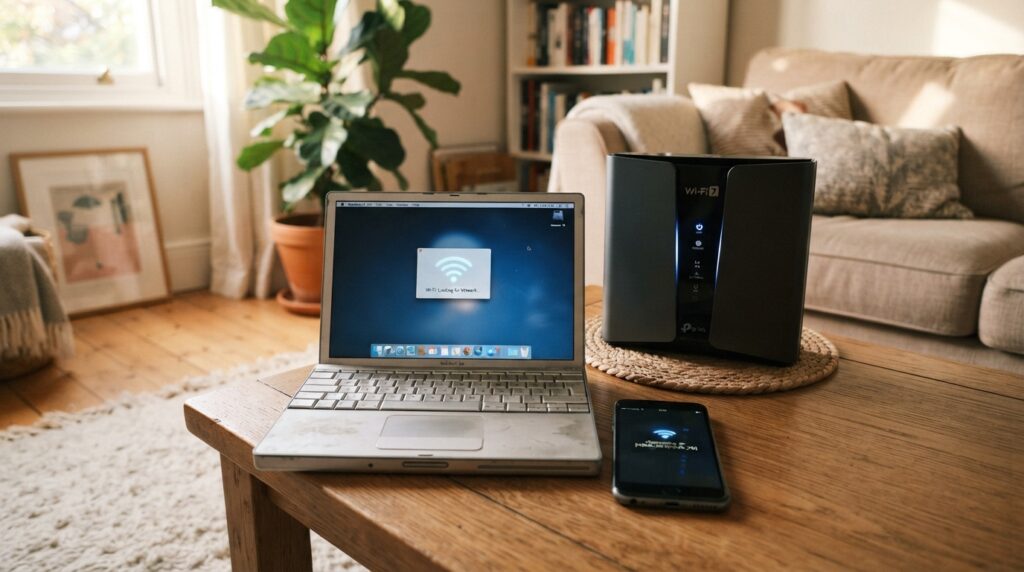
A simple checklist can help us check the devices that matter most before changing a home network:
- Confirm the older device’s Wi-Fi generation.
- Check which bands the device uses.
- Test essential devices after the router change.
An older camera might still work well, while an older laptop could struggle with an application or task. Test important devices, such as work computers and home security gear, after changing routers. The Wi-Fi backward-compatibility explanation describes why older clients do not gain newer features from a router upgrade.
Keep an older device in service if it meets the household’s needs, and replace it only when its features or connection become a practical limit. This avoids replacing working Wi-Fi devices just because a router has a newer label. A connection that works is not the same as full Wi-Fi 7 performance.
Can Your Wi-Fi 7 Device Use 6 GHz in the US?
In the United States, 6 GHz access depends on the device’s power class and the rules for its location. Wi-Fi 7 alone does not decide whether a device can use 6 GHz. The FCC opened the 5.925-7.125 GHz band to unlicensed use in 2020, with different rules for each device class.
Check the device class as well as its 6 GHz radio before planning indoor or outdoor use. A router and client can support the band but still face limits based on where and how they operate. The rules differ for indoor devices, outdoor devices, and low-power devices.
| Device class | Where it can operate | Coordination or control |
|---|---|---|
| Low Power Indoor | Indoors only | No coordination required |
| Standard Power | U-NII-5 or U-NII-7 | AFC check required |
| Very Low Power | Across the 6 GHz band | No AFC since May 5, 2025 |
| Geofenced Variable Power | Outdoor use in U-NII-5 or U-NII-7 | Location-based controls |
Indoor and standard-power devices
Low Power Indoor devices do not need coordination, but they must stay indoors. Standard Power devices must pass an Automated Frequency Coordination check in U-NII-5 or U-NII-7. That check helps manage use of the band in those ranges.
Automated Frequency Coordination, or AFC, checks whether a device can use a frequency in its location. A 6 GHz radio does not mean every device can work outdoors. The device’s permitted class sets where it can operate.
Very-low-power and geofenced devices
Very Low Power devices have been allowed across the full 6 GHz band without AFC since May 5, 2025. On January 29, 2026, the FCC adopted Geofenced Variable Power rules. These rules allow location-based controls instead of AFC for higher outdoor power in U-NII-5 and U-NII-7.
These rules affect the device’s permitted use, not whether its Wi-Fi 7 label is valid. A client’s location and power class shape its access to 6 GHz. Check that the client and router both support 6 GHz and that the device’s permitted operating class fits its indoor or outdoor use.
How Does Multi-Link Operation Affect Older Devices?
A legacy device can fail to join a Wi-Fi 7 network when its security support cannot meet the router’s requirements, even if the router is backward compatible. Security settings can block an older client before it connects. Multi-link operation (MLO) is a Wi-Fi 7 feature that lets compatible devices send and receive data over more than one Wi-Fi band or channel.
MLO needs compatible support at both ends, and stricter security can rule out some older clients. The Netgear Orbi 770 Series uses one network name by default across 2.4 GHz, 5 GHz, and 6 GHz. It supports MLO and is backward compatible with older devices, but those facts do not guarantee every client can join.

A single network name does not guarantee that every older device can pass the router’s security checks.
Wi-Fi 7 has stricter security requirements, including WPA2 or higher. An iPhone 5 cannot connect to the Orbi 770. A guest or IoT network may work as a workaround, but it is not a guaranteed fix for every device.
The Orbi 770 supports Wi-Fi 7 channels up to 320 MHz, compared with a previous maximum of 160 MHz. That channel support does not solve a security mismatch. An older client can still fail to authenticate, even when the network name appears in its list.
Before changing security settings, try a separate guest or IoT network and confirm that it preserves an appropriate security level. This can keep an older device away from the main network without lowering protection for all clients. Do not assume that turning off security is a safe way to restore a connection.
How Do You Verify a Specific Device Before Upgrading?
Verify the exact hardware model first, then check that its operating system and drivers can use the Wi-Fi 7 radio. Hardware comes first, since software support cannot add a missing radio. We can build a Wi-Fi 7 upgrade plan around the one device that limits our experience.
Replace the device that causes a real problem, not every connected product at once. Operating-system support alone does not confirm Wi-Fi 7 hardware in a phone or computer.
- Find the exact model number.
- Check its specifications for Wi-Fi 7 support.
- Verify the router’s bands and any regional limits.
- Check operating-system and driver support.
Android 13 and later provide Wi-Fi 7 support. Linux 6.2 supports Wi-Fi 7 devices, while Linux 6.4 adds Wi-Fi 7 mesh support. Windows 11 Insider Preview build 26063.1 added Wi-Fi 7 support.
These software details matter only when the hardware also supports the standard. Before buying a replacement, compare the full model number in its specifications and the Wi-Fi Alliance Product Finder.
Conclusion
Keep the router and client specifications together: a Wi-Fi 7 label on one side does not upgrade the other. A Wi-Fi 7 router can serve older Wi-Fi devices, but only a compatible client can use Wi-Fi 7 features. The client matters as much as the router.
A dual-band Wi-Fi 7 router does not provide 6 GHz. That distinction can shape the upgrade we need, especially when a home has newer clients that support the band. We can keep working devices in place and focus on the weak point in our network.
Before replacing anything, compare the exact model numbers in the product specifications and the Wi-Fi Alliance Product Finder.