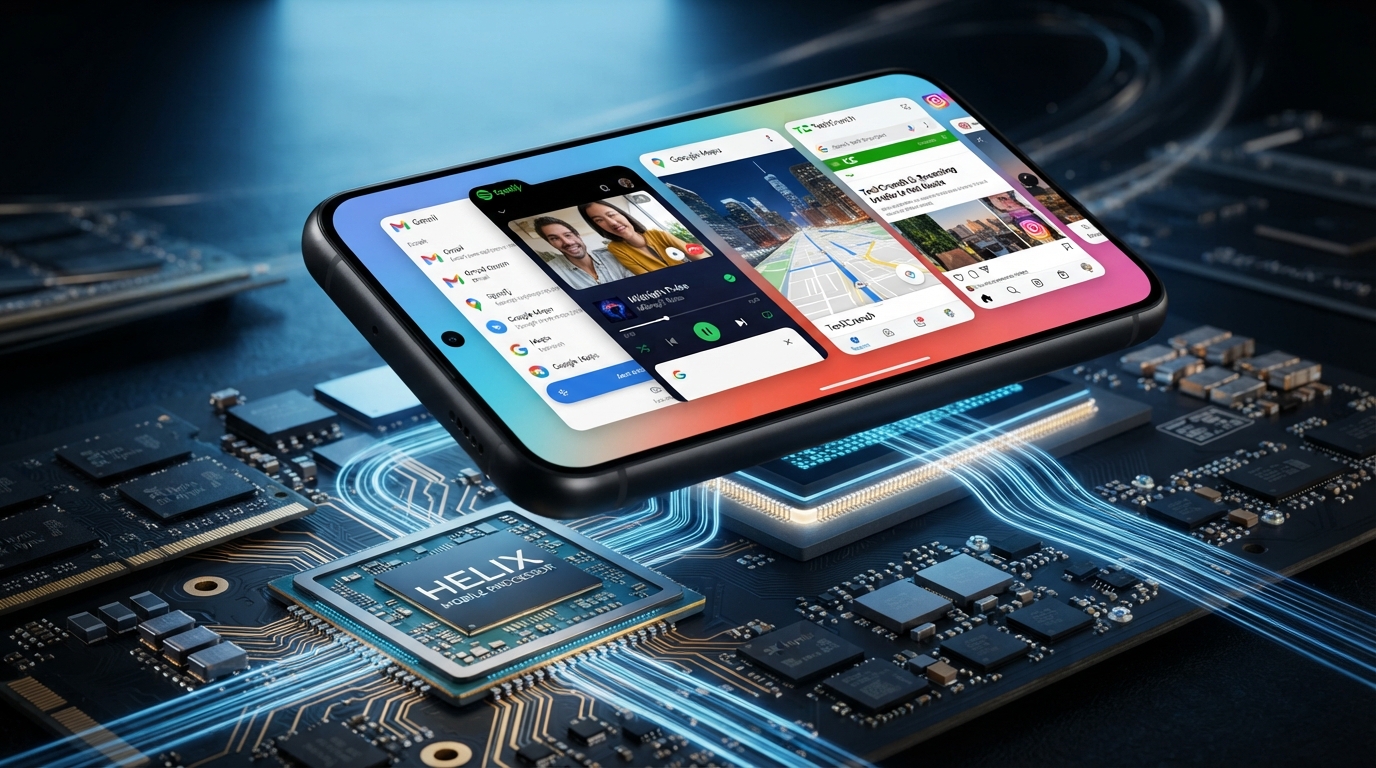
A phone’s responsiveness comes from several connected parts working together, not from one speed number. A modern smartphone can shift from opening a map to streaming video in seconds, yet those tasks rely on different kinds of work.
Mobile Processor Architecture helps explain why one phone feels quick in daily apps while another handles games or several open apps better. A system on a chip (SoC) is a single chip that integrates a phone’s CPU with other essential computing components.
We’ll connect processor parts to familiar actions, from tapping an app to playing a game. We’ll also look at how performance changes with software, heat and battery use, so the specifications make sense in real situations.
Key Takeaways
- A phone processor coordinates computing work, but it is only part of the larger system.
- CPU cores, graphics hardware and memory serve different roles.
- Clock speed and core count cannot predict every app’s performance.
- Heat and power limits can change performance during long tasks.
- We get the clearest comparison by matching tests to the work we do.
Knowing what each part does makes processor specifications easier to judge against the way we actually use a phone.
What Is Mobile Processor Architecture?
When we tap an app, the CPU begins coordinating instructions with memory and other parts of the phone. Mobile Processor Architecture describes how a phone’s processing parts are arranged and how they share work.
The processor coordinates computing tasks, but it does not explain every performance result by itself. It manages instructions and computations, along with work involving memory, graphics and input/output systems.
A phone’s processor coordinates tasks inside a wider system. One number cannot predict how every app will perform.
In everyday use, opening a photo app might require the CPU to respond to a tap, read data, update the screen and accept touch input. Other parts handle parts of that work at the same time.
A mobile processor architecture diagram can be pictured as a set of connected blocks. The CPU sends and receives data through memory, while the GPU handles graphics and input/output links connect the system to devices and signals.
That simple diagram shows connections, not every detail of a real chip. Mobile processor architecture notes should keep the parts and their jobs separate, rather than treating the whole system as one processor.
The CPU is one part of a phone’s broader computing system. A processor helps explain how a mobile device handles tasks, but software, memory and other components also affect the result.
Think of the CPU as a coordinator that assigns and carries out work alongside other parts. Its role matters, though it cannot replace the rest of the phone’s system.
That distinction helps us read technical descriptions without confusing the CPU with every component inside a phone. It also keeps simple comparisons from claiming too much.
Treat the processor as a coordinator inside a wider system, not as a single number that predicts every task.
What Is a Smartphone System on a Chip?
A modern smartphone commonly puts several essential computing components on one SoC. The design brings processing, memory and control functions together in a compact package.
Integration can reduce board size and, compared with an equivalent multi-chip design, may lower power use and assembly costs. The exact component mix still varies by chip design.
| Component | Role | Place in the SoC |
|---|---|---|
| CPU | Executes instructions and coordinates computing | Main processing component |
| GPU | Handles graphics | Graphics processing component |
| RAM and ROM | Hold working data and stored instructions or data | Memory components |
| Interface and power controllers | Connect components and manage power | Control components |
The CPU is the main SoC component, but it relies on the other parts to complete a phone’s computing work. RAM holds information in use, while ROM holds stored instructions or data.
Interface controllers connect the chip with other systems, such as wireless links and USB. A power-management controller helps direct energy use across the device.
Putting key parts together can make a phone’s circuit board more compact. That matters in a mobile device, where manufacturers must fit many components into limited space.
A compact SoC layout can save board space, but its component mix still shapes what a phone can do.
How Does a CPU Follow Instructions?
Every app action ultimately requires the CPU to process instructions through a repeating cycle. The basic cycle has four steps, from getting an instruction to storing its result.
The cycle is fetch, decode, execute and write back. We can picture it through a simple action, such as tapping a button to save a note.
- Fetch: Get the next instruction from memory or cache.
- Decode: Determine what the instruction asks the CPU to do.
- Execute: Carry out the requested operation.
- Write back: Store the result where the system can use it.
When we tap Save, the app may ask the CPU to check the note’s contents. The CPU fetches an instruction, decodes the request and carries out the needed operation.
It then writes a result, such as updated data, where the app or system can access it. The phone may also use memory, storage and other processing parts during this action.
That example does not mean a whole phone handles only one instruction at a time. Modern processors overlap and coordinate many operations, and the app can request more work while other components remain active.
We can use the cycle as a basic model for processing. It shows the steps behind an instruction without pretending that every task follows a single straight line.
The cycle is a useful basic model, even though real processors overlap and coordinate many operations.
What Do Processor Cores Do?
A CPU core is an independent processing unit that can work on its own instruction stream. Multiple cores can handle separate streams at once when an application can split its work.
More cores help only when software can use them well. A game might load new assets while background tasks continue, but one core count cannot tell us how quickly either job finishes.
Performance cores handle demanding work
A performance core is designed for demanding work that benefits from strong processing ability. It can take on heavier app tasks, such as complex game activity or a major calculation.
Apple’s A19 and A19 Pro each have six CPU cores, arranged as two performance cores and four efficiency cores. Snapdragon 8 Elite Gen 5 uses a 2+6 CPU core layout.
These layouts show how chips can mix core types, but they do not show how much work each core completes. Software support matters: an app must divide work across threads before several cores can help.
Efficiency cores handle lighter work
An efficiency core is designed for lighter tasks while using less power. It can help with background activity or everyday app work that does not need a performance core.
A game may load graphics or other assets while the phone checks messages in the background. The system can share those tasks across cores when the software and processor support that split.
Many mobile apps are not fully optimized to use every available core. A task that relies on one thread may gain little from extra cores, even when another app can spread work across them.
Before comparing core counts, check whether the demanding apps we use can benefit from parallel work.
What Does GHz Tell Us About Speed?
A 1 GHz clock represents one billion processor cycles per second, not one billion completed tasks. GHz measures cycles, while a processor’s design affects how much useful work it completes during each cycle.
A 2.5 GHz clock describes cycles, not a fixed number of instructions or a guaranteed app speed. Higher clock speed can help sequential tasks, but architecture and core design also matter.
- Read the clock as a maximum frequency, not a constant speed.
- Compare the number with the chip’s architecture and core design.
- Consider whether the task is sequential or can run in parallel.
A sequential task works through steps in order, so a higher clock can help it finish sooner. Parallel work can use several cores, making core design and software support important.
For example, A19 Pro has a maximum clock of 4260 MHz, while Snapdragon 8 Elite Gen 5 reaches 4740 MHz. Those figures do not prove that the second chip finishes every app task sooner.
Clock speed measures cycles, not the amount of work completed in each cycle. A phone’s processor may also run below its maximum frequency based on the task and operating conditions.
Compare clock speeds most confidently between chips with similar designs and operating conditions.
How Do Cache and Memory Affect Responsiveness?
A CPU gets its most frequently needed instructions and data from cache before reaching farther into the memory system. Cache sits close to the CPU, while RAM and storage handle different kinds of information.
Cache, RAM and storage are not interchangeable. Their roles help explain why an app can feel slow even when the processor itself is capable.
| Component | What it holds | Why it matters |
|---|---|---|
| Cache | Frequently reused instructions or data | Reduces repeated trips to RAM |
| RAM | Active app and system data | Supports working tasks |
| Storage | Apps and files | Retains data when the phone is off |
A processor can use high-speed cache to store instructions and data it needs often. That can reduce the need to fetch the same information from RAM repeatedly.
RAM holds active app and system data. More RAM can help a phone keep more apps available, though the amount alone does not determine processor speed.
Storage keeps apps and files even when the phone is off. It has a different job from RAM, which supports work currently taking place.
When an app feels slow, check whether the bottleneck is active memory, storage or processor work rather than assuming all three are the same.
What Does the GPU Do in a Phone?
The GPU draws and processes the visual work that makes games, animations and other graphics-heavy apps run. It handles graphics tasks that differ from the CPU’s general instruction work.
CPU speed alone cannot tell us how well a phone handles graphics. Both the CPU and GPU shape the experience, but games often place a heavy load on graphics hardware.
A game’s GPU may render characters, scenes, lighting and movement. The GPU also helps create smooth interface animations and supports multimedia apps with demanding visual effects.
Rendering is not the same as simply playing a video. Some video playback and other tasks may use specialized hardware, rather than relying only on the GPU or CPU.
That difference explains a common surprise: a phone can feel fast in everyday apps yet struggle in demanding games. GPU capability and sustained cooling can differ between devices.
Game performance also depends on the workload. A complex scene may ask more from graphics hardware than a simple puzzle game or a video stream.
For gaming, compare graphics performance and sustained behavior as well as CPU results.
Which Specialized Units Handle AI, Cameras, and Connectivity?
Phones can include dedicated hardware for AI, camera processing and wireless communication. These specialized units handle certain jobs more directly than general CPU work can.
Specialized hardware can improve energy efficiency for suitable tasks, but an app must support it. A chip’s features alone do not mean every application uses them.
- NPU: Handles machine-learning tasks, such as voice recognition. IBM explains how an NPU supports machine-learning workloads.
- ISP: Processes image data from the camera.
- Modem or baseband processor: Manages cellular communication.
- Connectivity controllers: Support wireless links such as Wi-Fi and Bluetooth.

A neural processing unit (NPU) handles machine-learning workloads. That can include voice recognition or other tasks built to use the unit.
An image signal processor (ISP) works with camera-image data. It helps process images captured by the phone’s camera.
A modem or baseband processor manages cellular communication, while connectivity controllers support Wi-Fi and Bluetooth. Those components help a mobile device connect with networks and nearby devices.
Dedicated units can complete suitable jobs without relying only on the CPU. We should look for both the unit and software support for the task we care about.
What Is the Difference Between Architecture and Microarchitecture?
Two processors can follow the same instruction-set rules while using different internal designs. The instruction-set architecture (ISA) sets software-facing rules; a microarchitecture describes one processor’s implementation of those rules.
The ISA defines what instructions a processor supports, while microarchitecture shapes how it carries them out. That difference helps explain why chips with a shared instruction set can perform differently.
Instruction-set architecture defines the rules
An ISA describes instructions that software can ask a processor to perform. Arm CPU architecture is a reduced instruction set computing (RISC) ISA.
It also defines exception and memory models used by operating systems and hypervisors. Those rules help software communicate with processors in a consistent way.
ARMv8-A, released in 2011, added 64-bit addressing and 64-bit arithmetic. It retained a fixed-length 32-bit instruction set for AArch64.
Microarchitecture shapes how a processor implements them
A microarchitecture describes a processor implementation, including its pipeline, cache and choices about power, performance and area. These choices affect how a chip carries out the ISA’s instructions.
Arm licenses its ISA and also licenses processor designs, such as Cortex and Neoverse. Companies may use a licensed processor design or build their own implementation under a licensed ISA.
As a result, an Arm chip does not automatically share the same microarchitecture as another Arm chip. A common ISA sets a shared software rulebook, not one identical internal design.
When comparing chips, treat the instruction set as the rules and the microarchitecture as the way those rules are implemented.
How Do Mobile Processors Balance Power, Heat, and Battery Life?
A phone does not need to run every processor component at full speed all day. It can adjust performance and energy use to match the current workload.
Power management can raise performance for demanding work and lower it during lighter tasks. Those changes help balance processing needs with battery life.
Power management adjusts to the workload
A phone can raise performance when a demanding app needs more processing power. It can lower clock frequency or switch unused sections into sleep modes when the workload eases.
That approach avoids running every part of the chip at full speed during simple tasks. A phone that checks messages does not need the same processing effort as a game.
Reducing unnecessary activity can help conserve energy. Power management makes performance responsive to what the phone is doing, rather than fixed at one level.
Thermal limits affect sustained performance
During prolonged demanding use, a mobile processor can produce enough heat to reach a thermal limit. The phone may then reduce performance to control that heat.
Sustained gaming can feel different from a brief test because the device has more time to heat up. A high advertised maximum clock does not guarantee that the phone will hold it through a long session.
A short benchmark burst and a long gaming session may produce different results. For lengthy play, consider the phone’s cooling and power behavior, not only its peak performance.
For long gaming or recording sessions, sustained performance matters more than a brief peak score. Our [gaming laptop buying guide](https://otakugadgets.com/3-best-gaming-laptops-under-2000-buying-guide-2026/) also compares how cooling and configuration affect long gaming workloads.
What Is a Mobile Processor in a Laptop?
A mobile laptop processor is built for portable computers, while a phone processor is usually part of a compact SoC. Here, mobile describes the device and its power-use context, not one universal chip design.
Laptop and phone processors are not interchangeable just because both are called mobile. Their instruction sets, core layouts and platform designs can differ.
| Processor or configuration | Instruction set | CPU core layout |
|---|---|---|
| Apple A19 Pro | ARM-based | 2 performance plus 4 efficiency cores |
| Snapdragon 8 Elite Gen 5 | ARM-based | 2+6 cores |
| Panther Lake high-power configuration | x86-64 | 4 P-cores, 8 E-cores, 4 low-power cores |
| Panther Lake low-power configuration | x86-64 | 4 P-cores, 4 low-power cores |
Apple’s A19 and A19 Pro are 64-bit ARM-based SoCs, designed by Apple and made by TSMC with its N3P 3 nm process.
Panther Lake is Intel Core Ultra Series 3, launched in January 2026. It uses x86-64, not the ARM instruction set used by the cited Apple A19 chips.
Panther Lake uses Cougar Cove P-cores and Darkmont E-cores and low-power E-cores. Its NPU is rated at up to 50 INT8 TOPS, a measure of its AI processing capacity.
The laptop configuration comparison also shows why exact graphics hardware and cooling matter for gaming.
Check the device class and instruction set before assuming that two “mobile” chips can run the same software.
Which Mobile Processor Families Should We Know?
A useful mobile processor list includes both families and the individual chip models found in devices. The names identify different SoC families, not a universal performance order.
Compare the specific chip and device configuration, not just the family name. A family can include models with different memory, graphics hardware and other features.
- Apple A19 and A19 Pro
- Qualcomm Snapdragon 8 Elite Gen 5
- MediaTek Dimensity 9500 and Dimensity 8400
- Samsung Exynos 2600
- Google Tensor G5
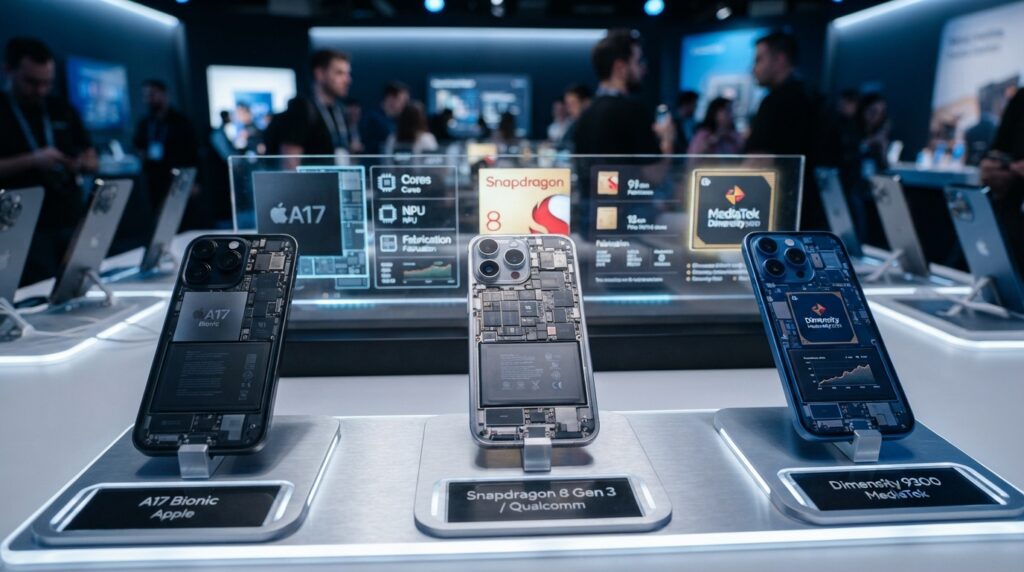
A19 and A19 Pro show how much configurations can vary within one family. Both use six CPU cores, with two performance cores and four efficiency cores.
A19 has 8 MB of performance-core L2 cache, 4 MB of efficiency-core L2 cache and 12 MB of L3 cache. A19 Pro has 16 MB, 6 MB and 32 MB, respectively.
A19 devices have 8 GB of LPDDR5X memory, while A19 Pro devices have 12 GB. Apple rates the A19’s 16-core Neural Engine at 35 TOPS.
The A19 has a four-core or five-core Apple-designed GPU, depending on the device. A19 Pro has a five-core or six-core GPU.
The six-core A19 Pro GPU appears in iPhone 17 Pro and iPhone 17 Pro Max. The five-core version appears in iPhone Air.
Dimensity 8400 has been described as offering nearly flagship-level GPU performance at a lower price tier. Tensor G5 has respectable CPU results, yet shows a large GPU-performance gap versus flagship competitors.
Those distinctions describe particular workloads, not blanket judgments about every app. Compare the specific chip and device configuration, not just the family name.
How Can We Compare and Test Mobile Processors?
A fair processor comparison uses the same tests and comparable device conditions. Results can shift with the tested phone, test method and way reviewers combine results.
CPU and GPU scores answer different questions. We should compare them separately and check whether devices ran similar tests under similar conditions.
Check whether benchmark results use comparable tests
A June 2026 comparison of 70 smartphone chipsets used Geekbench single-core, Geekbench multi-core and 3DMark Wild Life Extreme results from device reviews. It used medians when multiple phones with the same chipset were tested.
That method helps reduce the effect of one unusual result. Device conditions still matter, so we should check whether comparisons use similar phone types and test methods.
For example, NanoReview’s 2026 ranking gave Snapdragon 8 Elite Gen 5 a 97 rating and an AnTuTu 11 score of 3,950,082. It reported Geekbench 6 scores of 3,639 single-core and 11,047 multi-core, with 2+6 CPU cores and a 4,740 MHz maximum clock.
NanoReview gave Apple A19 Pro a 95 rating and AnTuTu 11 score of 2,538,751. It reported Geekbench 6 scores of 3,970 single-core and 10,558 multi-core, with 2+4 CPU cores and a 4,260 MHz maximum clock.
Read CPU and GPU scores as separate results
A19 Pro led the June 2026 single-core CPU results. Snapdragon 8 Elite Gen 5, Dimensity 9500, Exynos 2600 and A19 Pro occupied a similar ultra-high-end tier.
The overclocked Snapdragon 8 Elite Gen 5 Leading Edition, tested in RedMagic 11S Pro, led the multi-core CPU and GPU charts, with a larger lead in graphics.
Its roughly 5,600% graphics lead over Snapdragon 4s Gen 2 is a benchmark contrast, not a typical real-world speed increase. A very large gap against a weaker chip does not predict how much faster everyday apps will feel.
- Check Geekbench single-core results.
- Check Geekbench multi-core results.
- Compare a graphics test such as 3DMark Wild Life Extreme.
- Look at results from multiple devices or review samples when available.
Initial Geekbench 6 results put A19 about 12% higher in single-core and 18% higher in multi-core CPU performance than A18. A19 Pro showed about 15% higher single-core and 20% higher multi-core performance than A18 Pro.
Compare test methods, device conditions and aggregation before drawing conclusions. Treat a dramatic graphics gap against a much weaker chip as a benchmark contrast, not a promise about everyday speed.
Which Processor Is Best for an Android Phone?
For an Android flagship, the Snapdragon 8 Elite Gen 5, Dimensity 9500 and Exynos 2600 are all in the cited ultra-high-end tier. For the most demanding gaming case covered here, Snapdragon 8 Elite Gen 5 Leading Edition led the charts in RedMagic 11S Pro.
For a lower price tier with strong graphics, consider Dimensity 8400. That is a workload-specific distinction, not a claim that one chip wins every task.
The three ultra-high-end chips offer a broad set of options for high-end Android use. Their similar tier does not mean that every phone using them performs the same way.
The tested Leading Edition is an overclocked version, and its chart results came from RedMagic 11S Pro. A different phone may have a different cooling design, software setup or chip configuration.
Dimensity 8400 can suit buyers who want strong graphics in a lower price tier. The phone around the chip still affects how it handles long gaming sessions.
Cooling can shape sustained performance, while software can affect how apps use the chip. Phone configuration and the games we play also matter to the experience.
Match the chip to the phone’s cooling and the apps we actually use, rather than buying by name alone.
What Should We Check Beyond a Processor’s Benchmark Score?
A benchmark score is one useful check, but our choice is ultimately a complete phone choice. A processor result cannot show how every app will run on every mobile device.
The best chip on a test chart may not fit if the phone lacks app support or handles long workloads poorly. We should check the whole device against our needs.
Choose a phone that supports the apps we need and handles our regular demanding tasks well. A benchmark cannot stand in for the full device.
- Confirm that the phone runs the apps we need.
- Compare CPU and GPU results separately.
- Check the phone’s memory and storage configuration.
- Consider battery life and sustained heat during demanding use.
- Compare the complete phone’s software and device features.
App support is a basic check, not a minor detail. Snapdragon 8 Elite Gen 5 and Apple A19 Pro illustrate how a chip choice also involves the device platform and software available for it.
For regular gaming, check graphics results and how the phone performs through longer sessions. A high short-test score may not show how heat affects sustained work.
Memory and storage also shape the way a phone handles active apps and keeps files. Compare the exact phone configuration rather than assuming every model with a chip is the same.
Before buying, match the processor’s strengths to our most demanding regular task and confirm the phone supports it well.
Conclusion
We can understand a phone’s processor best by looking at how its parts work together. Performance comes from the interaction of cores, graphics, memory, software and power management.
No single clock speed or core count predicts every workload. A phone can excel in one task and behave differently during another, especially when heat or battery use changes.
Our next step is concrete: identify the most demanding app or task we use, then compare phones on that workload and their sustained battery behavior. Choose a phone by matching its complete system to the work we need it to do.