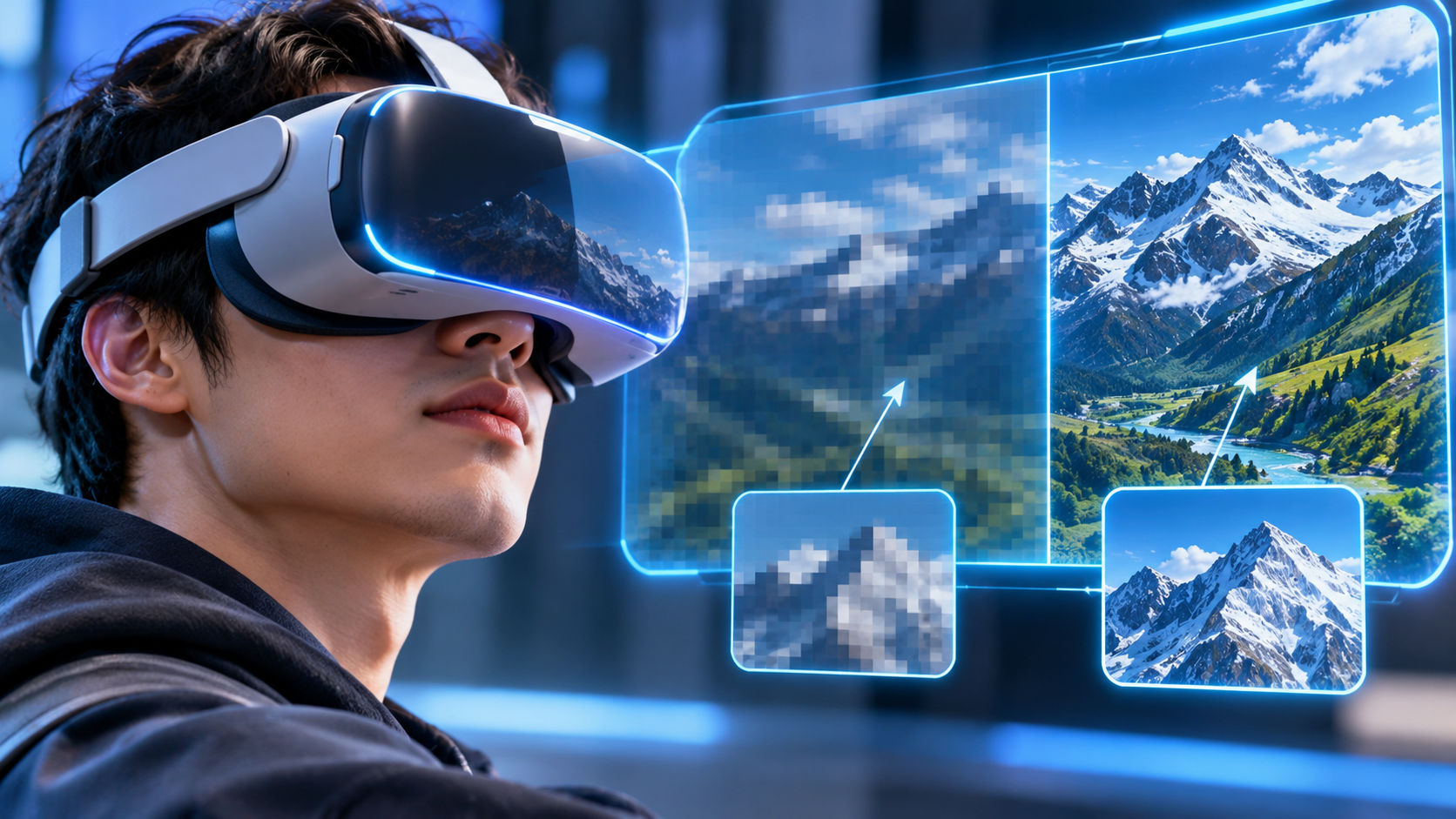
Head Mounted Display Resolution is a pivotal element in modern virtual reality and augmented reality experiences, directly influencing how users perceive digital environments. With tech advancements, the importance of high resolution in providing immersive visual fidelity cannot be overstated. Enthusiasts and casual users alike are increasingly recognizing that clearer images not only enhance enjoyment but also improve usability, making resolution a key factor in the effectiveness of head mounted displays (HMDs).
As we delve deeper into this topic, we’ll explore how different resolutions impact user experiences, the evolution of resolution standards, and how visual clarity can make or break immersive experiences. From high-definition displays to emerging technologies, understanding these aspects will equip readers with the knowledge needed to navigate today’s HMD market effectively.
Understanding the Basics of Head Mounted Display Resolution
Head Mounted Displays (HMDs) have revolutionized the way we interact with digital content, particularly in virtual reality (VR) and augmented reality (AR) environments. The resolution of these displays is a fundamental aspect that significantly influences the user experience. Higher resolutions contribute to clearer images, reduced eye strain, and a more immersive experience, while lower resolutions can lead to pixelation and a less engaging environment. Understanding how resolution impacts visual fidelity in HMDs is essential for both developers and users.
The resolution of an HMD is typically measured in pixels, referring to the number of horizontal and vertical pixels that make up the display. This metric plays a crucial role in determining how sharp and detailed the visuals are. In VR and AR applications, where users are often fully immersed, high resolution is paramount. A higher pixel count allows for finer details, making virtual environments feel more realistic. For instance, a resolution of 1920×1080 (Full HD) can significantly enhance the visual experience compared to a lower resolution like 1280×720, where images may appear jagged and less defined.
Significance of Resolution in Virtual and Augmented Reality
In the context of VR and AR, resolution is not just about clarity; it also affects the user’s sense of presence. When the display is high in resolution, users can better perceive depth and spatial relationships, which are vital for an authentic experience. The effects of resolution on user experience can be illustrated through the following resolutions commonly used in HMDs:
- 1080p (1920×1080): This Full HD resolution is often seen in entry-level VR headsets. While it offers decent quality, it can still result in the “screen door effect,” where visible lines between pixels can break immersion.
- 1440p (2560×1440): This resolution provides a noticeable clarity improvement over 1080p. It enhances the visual fidelity in VR environments, making objects appear sharper and more detailed.
- 4K (3840×2160): High-end VR headsets often boast this resolution, offering an immersive experience with minimal pixelation. It allows users to view intricate details in virtual worlds, which can be crucial for applications like gaming and simulations.
The implications of these resolutions extend beyond mere visuals. As the industry moves towards higher resolutions, the demand for more powerful graphics hardware increases, pushing the boundaries of technology. Achieving a high refresh rate alongside high resolution is also essential to prevent motion sickness in users, making the balance between resolution and performance a key consideration in HMD development.
Higher resolution in HMDs directly enhances visual fidelity, crucial for immersive experiences in VR and AR environments.
The Impact of Resolution on Visual Clarity in Head Mounted Displays
The resolution of head-mounted displays (HMDs) plays a crucial role in determining the visual clarity and overall immersive experience for users. As HMD technology has evolved, the significance of resolution has become increasingly evident, affecting how users perceive and interact with virtual environments. In this segment, we will delve into the relationship between resolution and visual clarity and how it directly influences user experience.
A higher resolution leads to a more detailed and sharper visual output, which is essential for the realism and immersion expected in virtual reality (VR) applications. For instance, the improvement from a 1080p display (1920×1080 pixels) to a 4K display (3840×2160 pixels) can dramatically enhance clarity. According to recent research, users experience a 30% improvement in perceived detail when transitioning from 1080p to a 1440p resolution in VR environments. This increase in pixels allows for finer details to be rendered, minimizing the “screen door effect,” a term that describes the visibility of grid lines between pixels, which can be distracting during immersive experiences.
Comparative Analysis of HMD Models
Understanding the differences in resolution among various HMD models helps illustrate how resolution impacts visual clarity. Here is a comparison of several popular HMDs, highlighting their resolution specifications and the corresponding visual clarity experienced by users:
- Oculus Quest 2: With a resolution of 1832×1920 pixels per eye, users report excellent clarity and a comfortable viewing experience. The pixel density effectively reduces the screen door effect, allowing for smooth text readability and detailed textures in games.
- Valve Index: Featuring a resolution of 1440×1600 pixels per eye, the Index is known for its wide field of view and high refresh rate. Users appreciate the sharpness achieved, which enhances the clarity of fast-moving graphics, making it ideal for action-packed games.
- HTC Vive Pro 2: Boasting a stunning resolution of 2448×2448 pixels per eye, this HMD delivers one of the clearest visuals on the market. Users have noted an extraordinary level of detail, particularly in expansive environments, which enhances the sense of presence during exploration.
These models illustrate how varying resolutions affect visual clarity. Studies have shown that users often prefer HMDs with higher resolutions, citing reduced eye strain and increased comfort during extended sessions. Furthermore, the ability to see finer details can significantly impact immersion, especially in applications requiring high levels of detail, such as architectural visualization or medical simulations.
In summary, the impact of resolution on visual clarity in head-mounted displays is profound. Higher resolutions not only enhance the sharpness and detail of the visuals but also contribute to a more immersive and enjoyable experience for users, underscoring the importance of selecting an HMD with suitable resolution for intended applications.
Exploring Resolution Standards in Head Mounted Displays
In the realm of head mounted displays (HMDs), resolution standards play a crucial role in determining the visual quality and user experience. With advancements in technology, HMD resolution standards have significantly evolved, allowing for immersive experiences that were once deemed impossible. This section delves into the various resolution standards commonly used in HMDs, examining their evolution and the impact on technology.
Common Resolution Standards in Head Mounted Displays
The evolution of resolution standards in head mounted displays has been driven by the need for enhanced visual clarity and realism. Initially, HMDs were limited to relatively low resolutions, often around 640×480 pixels, which provided a basic experience. However, as consumer demand grew for more engaging and lifelike visuals, manufacturers began to adopt higher resolutions.
Today, several key resolution standards are prevalent in HMDs:
- 720p (1280×720 pixels): This HD standard was a significant stepping stone, offering a clearer picture than previous models and becoming suitable for basic gaming and video experiences.
- 1080p (1920×1080 pixels): Full HD resolution became a standard for mainstream HMDs, providing sharper visuals and a more immersive experience, especially in gaming and virtual reality applications.
- 1440p (2560×1440 pixels): This resolution standard is increasingly common in high-end HMDs, offering improved detail and reducing the screen-door effect, where users see the lines between pixels.
- 4K (3840×2160 pixels): Ultra HD resolution is now being utilized in premium HMDs, delivering astonishing detail and clarity, which greatly enhances the realism of virtual environments.
- 8K (7680×4320 pixels): Although still in its infancy in HMD applications, 8K resolution promises the most detailed visuals available, pushing the boundaries of immersive experiences.
The progression from lower resolutions to high-definition and ultra-high-definition standards has significantly impacted technology. As HMDs have adopted higher resolutions, graphics processing units (GPUs) have evolved to handle the increased demand for rendering. Additionally, advancements in display technology, such as OLED and mini-LED, have made it possible to achieve vibrant colors and deeper contrasts, further enhancing the viewing experience.
The following table summarizes key specifications of various head mounted display resolutions and their typical applications:
| Resolution | Pixel Count | Common Applications |
|---|---|---|
| 720p | 1280×720 | Basic gaming, video playback |
| 1080p | 1920×1080 | Mainstream gaming, virtual reality experiences |
| 1440p | 2560×1440 | High-end gaming, detailed simulations |
| 4K | 3840×2160 | Premium VR applications, cinematic experiences |
| 8K | 7680×4320 | Future VR applications, advanced simulations |
The evolution of resolution standards in head mounted displays has not only improved the visual fidelity of virtual experiences but also set a foundation for future technological innovations. As resolutions continue to rise, so too does the potential for more immersive and engaging applications.
The Role of Refresh Rate Alongside Resolution in Head Mounted Displays
The interplay between refresh rate and resolution is a critical aspect of the user experience in head-mounted displays (HMDs). While resolution determines how many pixels are displayed, influencing clarity and detail, refresh rate dictates how often those pixels are updated per second. This dynamic duo is pivotal in ensuring that users receive a seamless and immersive visual experience, especially in fast-paced virtual environments.
The refresh rate, measured in hertz (Hz), directly impacts the responsiveness of the display. A higher refresh rate means smoother motion, which is crucial during fast movements or when navigating through 3D spaces. For instance, if an HMD has a resolution of 2560×1440 but a low refresh rate of 60Hz, the visual experience may feel choppy, leading to a disconnect between the user’s movements and the displayed content. In contrast, a high refresh rate of 120Hz or more can make even lower resolutions feel more fluid, enhancing the overall immersion. This interaction between refresh rate and resolution is especially relevant in combat or action games, where quick reflexes and precise aiming are necessary.
The Importance of Balancing Refresh Rate and Resolution
Balancing refresh rate and resolution is critical to prevent motion sickness, a common issue experienced by users of HMDs. When the frame rate drops below the refresh rate, or the visual experience becomes inconsistent, it can lead to a phenomenon known as “simulator sickness.” This occurs because the brain receives conflicting signals from the eyes and vestibular system about motion, resulting in discomfort. To mitigate this, many high-end HMDs aim for a refresh rate of 90Hz or higher, paired with sufficiently high resolution.
To further illustrate the importance of refresh rate alongside resolution, consider the following examples of HMDs that excel in both areas:
- Valve Index: With a resolution of 1440×1600 per eye and a refresh rate adjustable up to 144Hz, the Valve Index offers an exceptionally smooth experience. This combination reduces motion blur and enhances clarity, making it ideal for VR gaming.
- Oculus Quest 2: This standalone headset features a resolution of 1832×1920 per eye and supports a refresh rate of up to 120Hz. The high refresh rate helps in maintaining a smooth experience, even during intensive gameplay, thus minimizing discomfort.
- HTC Vive Pro 2: Sporting a resolution of 2448×2448 per eye and a refresh rate of 120Hz, it provides an excellent balance that allows users to enjoy detailed graphics without the risk of motion sickness.
These examples highlight the importance of not only having high resolution for visual fidelity but also ensuring that the refresh rate is sufficiently high to create a smooth, lag-free experience. The combination of these factors contributes significantly to user comfort and satisfaction, reinforcing the necessity of a harmonious relationship between refresh rate and resolution in the design of modern head-mounted displays.
Assessing the Trade-offs between Resolution and Performance in Head Mounted Displays
When selecting a head mounted display (HMD), users often encounter the delicate balance between resolution and performance. Higher resolution displays can enhance visual clarity and immersion, but they also demand more from the hardware. Understanding these trade-offs is essential for users aiming to maximize their experience without compromising overall system performance.
As the resolution of an HMD increases, so too do the demands on the graphics processing unit (GPU) and other hardware components. For instance, a display with a resolution of 4K requires significantly more graphical power than a 1080p display. This heightened demand can lead to performance implications, such as reduced frame rates, longer loading times, and increased latency, which can detract from the overall user experience. A common benchmark in the industry shows that lowering the frame rate from 90 FPS to 60 FPS can lead to noticeable stuttering and motion sickness in users, particularly in virtual reality applications where realism is paramount.
Performance Optimization Techniques
To maintain an acceptable resolution while optimizing performance, several techniques can be employed. These methods can mitigate the hardware strain associated with high-resolution displays, ensuring a smoother experience for users. Below are key strategies:
- Dynamic Resolution Scaling: This technique automatically adjusts the resolution of the rendered image based on the current performance metrics. For example, in high-demand scenes, the display might drop from 4K to 1440p, which can enhance frame rates while still maintaining reasonable visual quality.
- Foveated Rendering: Foveated rendering leverages the human eye’s natural focus, rendering high-resolution images only where users are looking while decreasing resolution in peripheral areas. This method can dramatically reduce the computational load without sacrificing perceived visual quality.
- Adaptive Quality Settings: Many software applications allow users to customize graphical settings, adjusting elements like texture quality and shadow detail. Users can find a balance that prioritizes performance, especially in scenarios where frame rates are critical.
- Software Optimization: Developers can optimize their applications to better utilize hardware resources, ensuring that the software runs efficiently even at higher resolutions. Techniques like asset streaming and load balancing can enhance performance significantly.
By implementing these strategies, users can achieve a satisfactory balance between resolution and performance. For example, a study conducted by a leading VR company demonstrated that users preferred environments optimized with foveated rendering due to the enhanced experience without adverse performance impacts, highlighting the effectiveness of innovative software solutions in managing hardware demands.
Future Trends in Head Mounted Display Resolution Technology
As the realm of virtual and augmented reality continues to expand, advancements in head-mounted display (HMD) resolution technology are set to redefine user experiences. Enhanced visual fidelity is not merely a luxury but a fundamental expectation from users who seek immersive environments for gaming, training, and various applications. This evolution is driven by both technological innovations and shifting user preferences that demand higher clarity and detail in the virtual world.
The ongoing race for better resolution in HMDs is fueled by the need for realism and immersion. As display technologies regularly improve, we can anticipate several significant shifts in the coming years that will transform how users interact with virtual environments.
Anticipated Changes in User Expectations
In the near future, users will likely demand higher pixel density and sharper imagery, pushing manufacturers to innovate rapidly. The current standard of 1080p resolution is already being surpassed; trends indicate a shift toward 4K and beyond in consumer-grade HMDs. This transition will create a more immersive experience, allowing users to perceive details that were previously indistinguishable.
A key expectation will be the reduction of the “screen door effect,” where users see visible lines between pixels. Technologies such as micro-OLED displays or advanced field sequential color (FSC) techniques are likely to be mainstream in the next few years. These innovations not only boost resolution but also improve color accuracy and contrast, enhancing the overall viewing experience.
Roadmap for Future Resolutions
The pathway to future resolutions in head-mounted displays is projected to include several technological breakthroughs, which can be summarized in the following advancements:
1. Higher Pixel Density: The transition from 4K to 8K and potentially beyond will become common, with some manufacturers already researching 16K displays.
2. Adaptive Resolution Technology: Similar to foveated rendering, where the resolution is dynamically adjusted based on where the user is looking, this could optimize performance by decreasing processing demands while enhancing perceived quality.
3. Improved Refresh Rates: Aiming for refresh rates exceeding 120Hz will reduce motion blur, making fast-paced experiences smoother.
4. Enhanced Field of View: Expanding the field of view beyond the current 110 degrees will provide users with a more immersive experience by allowing a more natural peripheral vision.
5. Light Field Technology: This technology will enable displays to project images that adjust based on the viewer’s perspective, substantially improving depth perception and realism.
The future of head-mounted displays lies in the fusion of higher resolution and adaptive technologies, transforming virtual experiences into indistinguishable realities.
These advancements will not only elevate user expectations but will also necessitate corresponding improvements in graphical processing capabilities to handle the increased demands of higher resolutions. As manufacturers align their innovations with user aspirations, the next generation of head-mounted displays promises to be a landmark in visual technology.
User Preferences and Perception of Resolution in Head Mounted Displays
User preferences play a significant role in shaping the perception of resolution in head-mounted displays (HMDs). As technology evolves, consumers increasingly prioritize clarity and detail in their virtual experiences. This demand influences manufacturers to enhance the resolution in HMDs, leading to a competitive market where user satisfaction is paramount. Understanding how individual preferences impact perception can provide insights into product development and marketing strategies.
User expectations regarding resolution and clarity are often derived from personal experiences and the type of content consumed. Research shows that many users expect a minimum resolution to ensure immersive experiences, particularly in gaming and virtual reality applications. A notable survey conducted by the International Data Corporation (IDC) indicated that 68% of users consider resolution as one of the top three features important for optimal performance in HMDs. Users indicated that anything under 1080p resolution leads to a subpar experience, causing discomfort and visual fatigue during extended use.
Demographic Priorities in HMD Resolution Features
Different demographics exhibit varying preferences for resolution features in HMDs, often influenced by their primary use cases, age, and technological familiarity. Understanding these differences can help manufacturers tailor their products effectively.
– Age Groups: Younger users, particularly gamers aged 18-30, often prioritize high resolution for detailed graphics and immersive gameplay. In contrast, older users, who may utilize HMDs for professional applications like training simulations, might focus more on ease of use and overall comfort rather than high resolution.
– Usage Context: Users engaged in professional development or training programs tend to value clarity and resolution less than those using HMDs primarily for gaming or entertainment. For instance, a study by the Virtual Reality Developers Conference (VRDC) found that 75% of professional users prioritized usability features over resolution.
– Technological Familiarity: Tech-savvy users tend to have higher expectations regarding resolution. They are more likely to engage with products featuring 4K resolution or beyond, while casual users might find lower resolutions satisfactory if the device is user-friendly.
These preferences highlight the importance of understanding user demographics and context when developing head-mounted display technology. As manufacturers strive to meet user demands, they must consider how different segments prioritize resolution, ensuring that each demographic’s needs are effectively addressed for optimal satisfaction.
Summary
In summary, Head Mounted Display Resolution is not just a technical specification; it’s a fundamental aspect that shapes user experience in virtual and augmented realities. As technology continues to advance, so too will our expectations for resolution and visual quality. By comprehensively evaluating how resolution interacts with other factors like refresh rate and performance, we can better appreciate the future of immersive displays and the exciting possibilities that lie ahead.
Question & Answer Hub
What is the ideal resolution for head mounted displays?
The ideal resolution varies depending on the intended use, but generally, higher resolutions like 2160×1200 or above are preferred for immersive experiences.
How does resolution affect gaming performance in HMDs?
Higher resolutions can demand more from hardware, potentially impacting frame rates and overall gaming performance unless the system is adequately powerful.
Can I use HMDs with lower resolution on high-resolution content?
Yes, but the experience may not be optimal as the lower resolution may not fully render the details intended in high-resolution content.
What role does pixel density play in HMD resolution?
Pixel density affects how sharp and clear the images appear; higher pixel density reduces the screen door effect and improves overall visual quality.
Are there any health considerations related to display resolution in HMDs?
Yes, lower resolutions can lead to eyestrain and discomfort, especially if they result in visible pixelation or a lack of clarity during extended use.