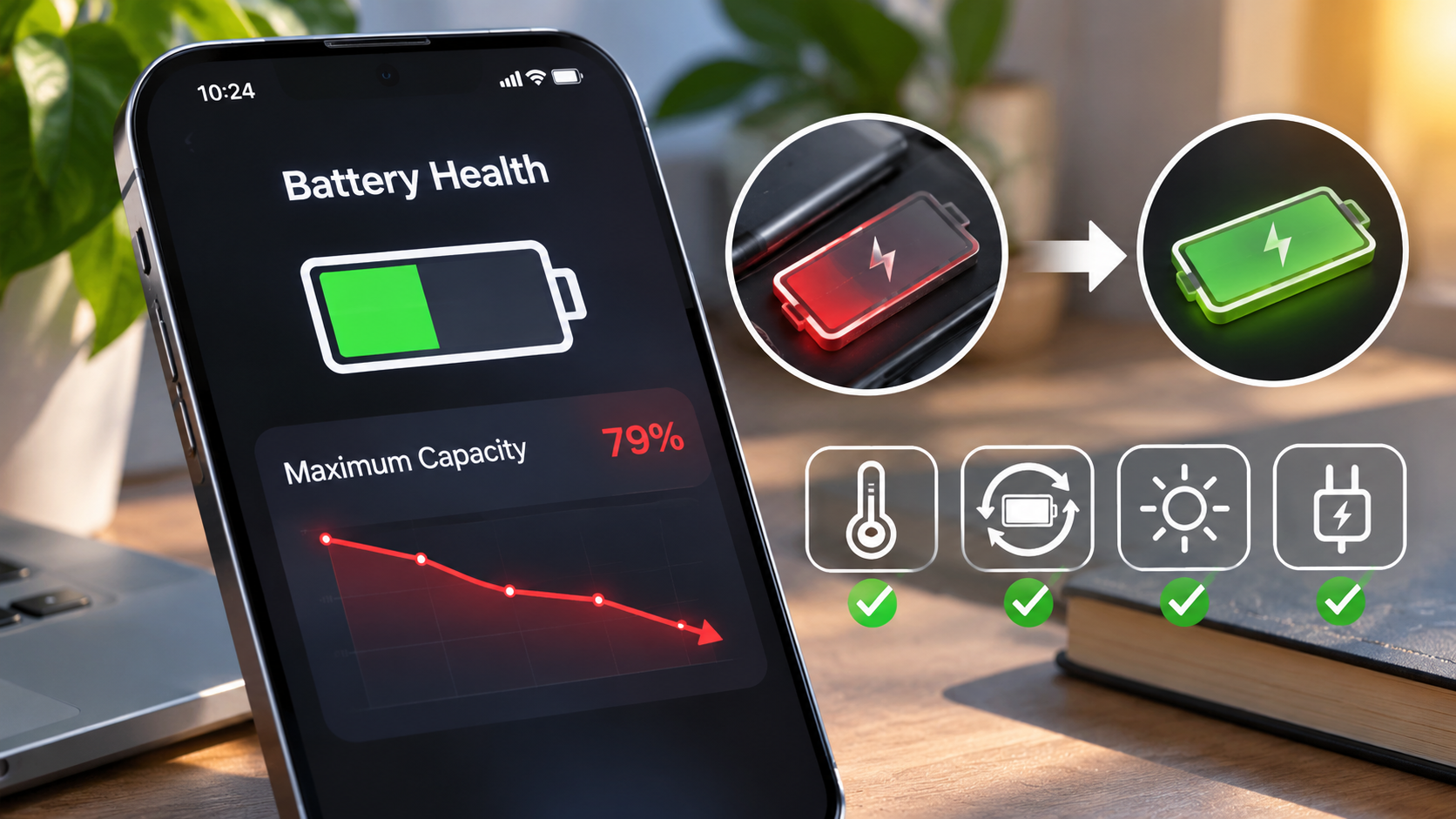
Smartphone Battery Degradation is a critical topic that affects every smartphone user. As we rely increasingly on our devices for daily tasks, understanding the factors that lead to battery deterioration becomes essential. Batteries are not just power sources; they are engineered components that can significantly impact the performance and longevity of our smartphones. With a mix of physical wear and chemical reactions, battery health is influenced by various elements including temperature, charging habits, and usage patterns. By exploring these factors, we can better appreciate how to care for our devices and extend battery life.
This exploration will uncover the science behind battery degradation, the significance of charging cycles, and the common misconceptions that can hinder proper battery care. Additionally, we will delve into how software updates impact battery performance and highlight emerging technologies that promise to reshape our user experiences. Alongside practical advice on recognizing signs of battery degradation and the importance of responsible disposal, this discussion aims to equip readers with valuable insights into maintaining their smartphone batteries effectively.
Understanding the Factors Contributing to Smartphone Battery Degradation
Smartphone batteries, primarily lithium-ion batteries, are essential components that power our devices, but they are not invincible. Over time, various factors contribute to their degradation, leading to reduced battery life and efficiency. Understanding these factors is key to managing battery health effectively.
The degradation of smartphone batteries is influenced by both physical and chemical factors. Physical factors include the battery’s design and the materials used, while chemical factors involve the reactions occurring within the battery. Lithium-ion batteries degrade primarily due to chemical reactions that occur during charge and discharge cycles, leading to the formation of by-products that negatively affect battery capacity and efficiency. This process is accelerated by temperature extremes; high temperatures can increase the rate of chemical reactions, causing faster degradation, while extremely low temperatures can hinder battery performance.
Charging habits play a crucial role in battery longevity. Frequent fast charging and leaving the device plugged in overnight can create excess heat, which can further deteriorate battery health. Ideally, keeping the battery charge between 20% and 80% can help prolong its lifespan. Additionally, usage patterns also impact battery health. For instance, constant use of power-intensive applications, such as high-resolution gaming or video streaming, can draw significant energy and create heat, leading to quicker degradation.
Several smartphone brands exhibit different battery performance metrics under similar conditions. For example, an iPhone 12, with its optimized battery management system, can retain around 80% of its original capacity even after 500 charge cycles. In contrast, some Android devices may show a more significant decline, with only 70% capacity retention after the same number of cycles due to less efficient battery management systems. Other brands, like Samsung, have implemented adaptive charging features that help mitigate battery wear by adjusting the charging speed based on user habits.
Keeping all these factors in mind can help users make informed choices regarding their smartphone use, ultimately extending the life of their devices and ensuring optimal performance.
The Role of Charging Cycles in Battery Life Expectancy
Charging cycles play a crucial role in determining the lifespan of smartphone batteries. A charging cycle refers to the process of charging a battery from 0% to 100% and then using it until it reaches 0% again. This process can happen in several smaller increments; for example, if you charge your phone from 50% to 100% and then use it back to 50%, that counts as half a cycle. As smartphones rely predominantly on lithium-ion batteries, understanding how these cycles affect battery performance is essential for users looking to maximize their device’s longevity.
The lifespan of lithium-ion batteries typically ranges from 300 to 500 full charging cycles before they start to exhibit significant degradation. As the battery undergoes these cycles, its capacity diminishes, leading to shorter usage times and decreased performance. Various factors like temperature, charging speed, and even the type of charger used can influence this degradation. For example, consistently charging your phone overnight can lead to prolonged exposure to high voltage, which accelerates wear and tear.
When it comes to different battery types, lithium-polymer batteries, often used in high-end smartphones, can offer slightly higher cycle counts, sometimes reaching up to 600 cycles. On the other hand, traditional nickel-based batteries are generally considered obsolete for smartphones due to their lower efficiency and higher self-discharge rates.
Average Charging Cycles for Smartphone Battery Types
Understanding the average charging cycles for various battery types used in smartphones helps users make informed choices about their devices. Below is a summary of common battery types and their respective cycle counts:
- Lithium-Ion: 300 to 500 cycles
- Lithium-Polymer: 500 to 600 cycles
- Nickel-Metal Hydride (NiMH): 200 to 300 cycles
- Nickel-Cadmium (NiCd): 150 to 200 cycles
To provide a clearer picture of battery performance in relation to charging cycles, the table below compares the expected battery life across various smartphone models based on their charging cycles. This comparison illustrates how different devices handle battery degradation over time:
| Smartphone Model | Battery Type | Expected Battery Life (Cycles) |
|---|---|---|
| iPhone 13 | Lithium-Ion | 500 cycles |
| Samsung Galaxy S21 | Lithium-Ion | 500 cycles |
| Google Pixel 6 | Lithium-Polymer | 600 cycles |
| OnePlus Nord 2 | Lithium-Ion | 450 cycles |
| Xiaomi Mi 11 | Lithium-Polymer | 600 cycles |
In summary, charging cycles are a defining factor in the longevity of smartphone batteries. By understanding how to manage charging habits and choosing devices with higher cycle longevity, users can significantly enhance their smartphones’ overall lifespan and performance.
Common Misconceptions About Smartphone Battery Care
In the realm of smartphone usage, battery maintenance often falls prey to a variety of myths that can lead to suboptimal performance and premature degradation. Understanding these misconceptions is vital for anyone looking to maximize their device’s battery life. This section delves into some prevalent myths about smartphone battery care, debunks them with facts, and presents best practices that can extend your battery life.
One of the most common myths is that fully discharging your battery before charging it again is essential for its longevity. This belief stems from older battery technologies like nickel-cadmium, which indeed suffered from a “memory effect.” Modern lithium-ion batteries do not have this issue; in fact, allowing your smartphone’s battery to drop to 0% can be harmful. Another misconception is that leaving your phone plugged in overnight is detrimental. While this was true in the past when devices did not have smart charging capabilities, current smartphones are equipped with technology that stops charging when the battery reaches 100%.
Moreover, people often think that extreme temperatures only affect battery health when it’s too hot. However, cold temperatures can also damage lithium-ion batteries, leading to diminished capacity and performance. Keeping your device in a hot car or a freezing environment can both have adverse effects.
Best Practices for Extending Battery Life
To counter these misconceptions, it’s crucial to adopt a set of correct practices that can enhance your smartphone’s battery lifespan. Here are some guidelines:
It is important to be aware of what you should and shouldn’t do to care for your smartphone battery. The following points provide a clear insight into effective battery maintenance practices based on expert recommendations:
- Do: Charge your smartphone when it reaches around 20-30% battery life rather than allowing it to drain completely.
- Do: Utilize battery-saving modes that many smartphones offer to reduce power consumption during use.
- Do: Keep your device updated, as software updates often include efficiency improvements for battery performance.
- Do: Maintain your phone in a temperature-controlled environment, ideally between 20°C and 25°C (68°F and 77°F).
- Don’t: Expose your device to extreme temperatures, both hot and cold, as this can reduce battery health over time.
- Don’t: Keep your smartphone plugged in after it reaches 100%, even though it’s generally safe.
- Don’t: Allow your phone to consistently drop below 20% battery life, as repeated deep discharges can wear the battery faster.
- Don’t: Use your phone extensively while it’s charging, as this can generate excess heat and adversely affect battery health.
By following these do’s and don’ts, you can significantly improve your smartphone’s battery performance and longevity while steering clear of the common myths surrounding battery care.
The Impact of Software Updates on Battery Performance
Software updates play a pivotal role in the overall performance and longevity of smartphone batteries. They can either significantly enhance battery life or lead to its deterioration. Manufacturers and developers frequently release updates not just to add new features or improve user experience but to address existing flaws, optimize system resources, and enhance security measures. Understanding how these updates affect battery performance is crucial for users aiming to maintain their device’s efficiency and longevity.
The impact of software updates on battery performance is twofold. On one hand, updates can introduce improvements that allow the operating system to manage resources more effectively. For instance, an update may include enhancements in power management algorithms, which can extend battery life by optimizing how apps use power in the background. An example of this is the introduction of adaptive battery features in Android, which learns user habits and limits battery usage of less frequently used apps. Conversely, software updates can also inadvertently lead to battery drains. This can happen when new features are resource-intensive, or when updates contain bugs that cause apps to misbehave, leading to excessive battery consumption.
Importance of Maintaining Updated Software
Keeping software up to date is vital for optimal battery management and security. Regular updates not only provide performance improvements but also ensure that devices are protected against potential vulnerabilities. Cybersecurity threats evolve constantly, and outdated software can expose devices to risks. By updating their devices, users can benefit from the latest security patches, which also contributes to a more stable operating environment that minimizes unnecessary battery drain.
To illustrate the relationship between software updates and battery health, consider the following flowchart components:
1. Software Update Released: The manufacturer or developer rolls out an update.
2. User Installs Update: Users apply the update to their devices.
3. Enhancements or Bugs: The update may contain improvements or unintentional bugs.
– If Enhancements:
– Improved Resource Management
– Enhanced Power Saving Features
– Extended Battery Life
– If Bugs:
– Increased Background Activity
– Unoptimized Power Usage
– Reduced Battery Life
4. User Experience: Users notice changes in battery performance, leading to potential feedback and further updates.
In conclusion, the dynamic between software updates and battery performance is complex and crucial for maintaining device health. Staying updated not only improves functionality but also fortifies security measures that help mitigate battery degradation over time.
Innovations in Battery Technology and Their Implications
As smartphone technology continues to evolve, so does the need for improved battery solutions. Innovations in battery technology are crucial for enhancing device performance, extending battery life, and ensuring user safety. In recent years, research and development have shifted towards more efficient and sustainable alternatives to traditional lithium-ion batteries, which have long been the standard in mobile devices. This exploration not only focuses on better performance but also on the environmental impact of battery production and disposal.
Emerging battery technologies are showing promising potential to change the landscape of smartphone usage. Solid-state batteries are at the forefront of this innovation, offering significant advantages over conventional lithium-ion batteries. Unlike lithium-ion batteries, which use a liquid electrolyte, solid-state batteries utilize a solid electrolyte. This fundamental shift in design can lead to improvements in energy density, safety, and lifespan.
Comparison of Lithium-Ion Batteries and Solid-State Batteries
When comparing traditional lithium-ion batteries with solid-state alternatives, there are several key aspects to consider, particularly lifespan and safety.
- Lifespan: Solid-state batteries have the potential to last much longer than lithium-ion batteries. Some estimates suggest that solid-state batteries could last up to 2,000 cycles compared to about 500 to 1,500 cycles for lithium-ion batteries. This extended lifespan reduces the frequency of replacements, benefitting both consumers and the environment.
- Safety: Solid-state batteries are generally considered safer because they are less prone to leaks and overheating, which are common concerns with lithium-ion designs. The absence of flammable liquid electrolytes significantly reduces the risk of fire hazards, making these batteries a more reliable option for everyday use.
- Energy Density: Solid-state batteries can store more energy in the same amount of space, which means smartphones could run longer on a single charge without increasing the size of the device. This advancement aligns with consumer desires for slimmer and lighter gadgets.
The implications of these innovations extend beyond mere numbers; they redefine user experiences. The longer lifespan of solid-state batteries leads to less frequent purchasing and disposal of batteries, lowering the total cost of ownership for consumers. Enhanced safety features increase trust in mobile technology, encouraging users to adopt new devices without concerns about battery-related incidents.
Predictions on User Experience Transformations
As these advancements in battery technology are integrated into smartphones, we can expect a transformative impact on user experiences. Current trends indicate that as manufacturers begin to adopt solid-state batteries, consumers will benefit from faster charging capabilities, potentially reaching full charge in under 30 minutes.
Additionally, the shift towards sustainable battery solutions could lead to more environmentally conscious manufacturing processes. Companies may leverage renewable energy sources and more efficient recycling programs, promoting a circular economy that resonates with eco-aware consumers.
Innovative battery technology may also lead to the development of smarter power management systems within devices, enabling features such as adaptive battery usage based on user behavior, effectively extending the daily usability of smartphones.
As technology advances, so too does the expectation for power efficiency, longevity, and safety in smartphone batteries.
Overall, the future appears promising, with solid-state batteries paving the way for a new era in smartphone technology, enhancing not only performance but also the overall user experience.
Signs of Smartphone Battery Degradation and When to Replace
As smartphones become integral to our daily lives, their performance hinges significantly on battery health. Over time, every smartphone battery undergoes wear and tear, leading to degradation that can hinder usability. Recognizing the signs of battery degradation is essential for maintaining optimal device performance and ensuring a seamless user experience.
One of the primary indicators of battery degradation is a noticeable decrease in battery life. Users may find that their smartphone drains faster than it used to, requiring more frequent charging. Additionally, users may experience unexpected shutdowns, where the device powers off even when the battery level appears sufficient. Such occurrences often signal that the battery can no longer hold a charge effectively. Inconsistent charging behavior is another symptom; for instance, the phone may show rapid charge increases or decreases, indicating internal problems.
Observable Behaviors and Performance Metrics
Monitoring specific behaviors and performance metrics can help users identify when their smartphone battery is degrading. The following checklist highlights essential signs to watch for:
- Rapid Battery Drain: If your phone’s battery percentage drops significantly in a short period, this may suggest degradation.
- Unexpected Shutdowns: A smartphone turning off suddenly, even with battery life remaining, often indicates battery issues.
- Slow Charging: If it takes noticeably longer to charge your device, the battery may not be functioning properly.
- Heat Generation: Excessive heat when charging or using the device can signal battery malfunction.
- Battery Swelling: A visibly swollen battery can cause physical damage to the device and should be addressed immediately.
- Charging Cycles: With typical usage, batteries are designed to last about 300-500 full charge cycles, after which performance can decline significantly.
Additionally, users should track performance metrics in the device settings, such as battery health percentage and charge cycles. Many smartphones now include built-in diagnostics that can provide insights into battery performance.
| Lifespan of Smartphone Batteries | Signs of Degradation |
|---|---|
| 1-2 years | Gradual reduction in battery life; slight slow charging. |
| 2-3 years | Frequent unexpected shutdowns; noticeable heat during use. |
| 3-5 years | Severe battery drain; charging inconsistencies; potential swelling. |
Recognizing these signs early can help users decide when it’s time to replace their smartphone battery, allowing for a better overall device experience. Being proactive about battery health not only extends the life of the smartphone but also enhances its reliability in daily tasks.
Environmental Considerations of Battery Disposal and Recycling
The environmental impact of improper disposal of smartphone batteries is significant and multifaceted. Batteries contain harmful substances, including heavy metals like lead, cadmium, and mercury, which can leach into the soil and waterways if discarded irresponsibly. This not only disrupts local ecosystems but also poses health risks to wildlife and humans alike. Moreover, as smartphones continue to proliferate globally, the volume of batteries reaching landfills is increasing, exacerbating these environmental challenges. Hence, understanding the importance of recycling and proper disposal methods is crucial in mitigating these harmful effects.
Beyond the immediate environmental threats, improper battery disposal contributes to the depletion of natural resources. Recycling batteries helps reclaim valuable materials such as lithium, cobalt, and nickel, which can be reused in new products, reducing the need for mining and its associated ecological consequences. Fortunately, various initiatives and programs worldwide are fostering responsible battery recycling practices. Organizations such as Call2Recycle provide easy-to-access collection locations for consumers, encouraging responsible disposal. Additionally, many regions have implemented regulations that mandate battery recycling, providing frameworks that support and incentivize eco-friendly behaviors.
To further guide users on responsibly disposing of or recycling their smartphone batteries, several proactive steps can be taken. These steps help ensure both environmental safety and compliance with legal standards.
- Locate a certified e-waste recycling facility in your area that accepts batteries.
- Participate in manufacturer take-back programs that allow you to return old batteries when purchasing new devices.
- Utilize local community collection events for hazardous waste, often organized by municipalities.
- Store used batteries in a cool, dry place until you can dispose of them properly to avoid leakage.
- Educate friends and family about the importance of battery recycling to promote community awareness.
Recycling batteries not only protects the environment but also conserves valuable resources for future generations.
Closing Summary
In conclusion, understanding Smartphone Battery Degradation is vital for maximizing the lifespan of our devices. By recognizing the factors that contribute to battery wear and adopting best practices for care, we can ensure better performance and longevity. As technology advances, staying informed about innovations in battery technology will also play a crucial role in enhancing our device experiences. Remember, being proactive in monitoring battery health and following environmentally responsible disposal practices not only benefits individual users but also contributes to a healthier planet.
Common Queries
What causes smartphone battery degradation?
Smartphone battery degradation is primarily caused by chemical reactions within the battery, temperature extremes, and improper charging habits.
How can I extend the life of my smartphone battery?
To extend battery life, avoid extreme temperatures, limit fast charging, and reduce screen brightness.
Is it safe to use my phone while charging?
Using your phone while charging can generate extra heat, which may contribute to battery wear, so it’s best to limit heavy usage during charging.
How often should I charge my smartphone?
It’s best to charge your smartphone when it drops to around 20-30% and unplug it once it reaches 80-90% for optimal battery health.
Are there apps that can help monitor battery health?
Yes, there are several apps available that can help track battery usage and health metrics, giving you insights into how to manage your battery better.